 Matsubo Tech Blog
213 文字
1 分
Minecraft Server (統合版) をsystemdによる自動起動設定
Linux2023-02-05
概要
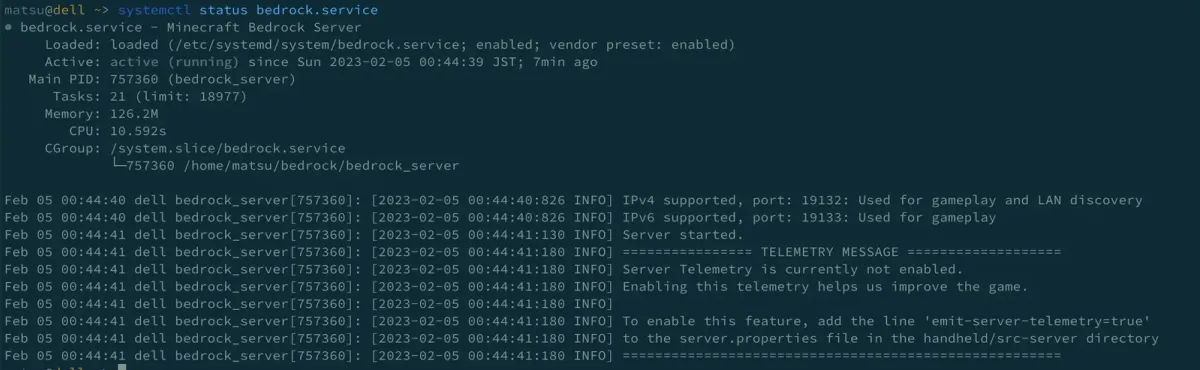
- Minecraft BedrockサーバをLinux上で起動させてSystemd配下でサービスを管理する設定。
- Minecraft bedrockサーバはしばらく立ち上げておくとメモリを食いすぎて勝手に落ちてしまいます。勝手に落ちたら手動で起動をするのが面倒なので systemd配下で管理して勝手に再起動をするように設定します。
設定内容
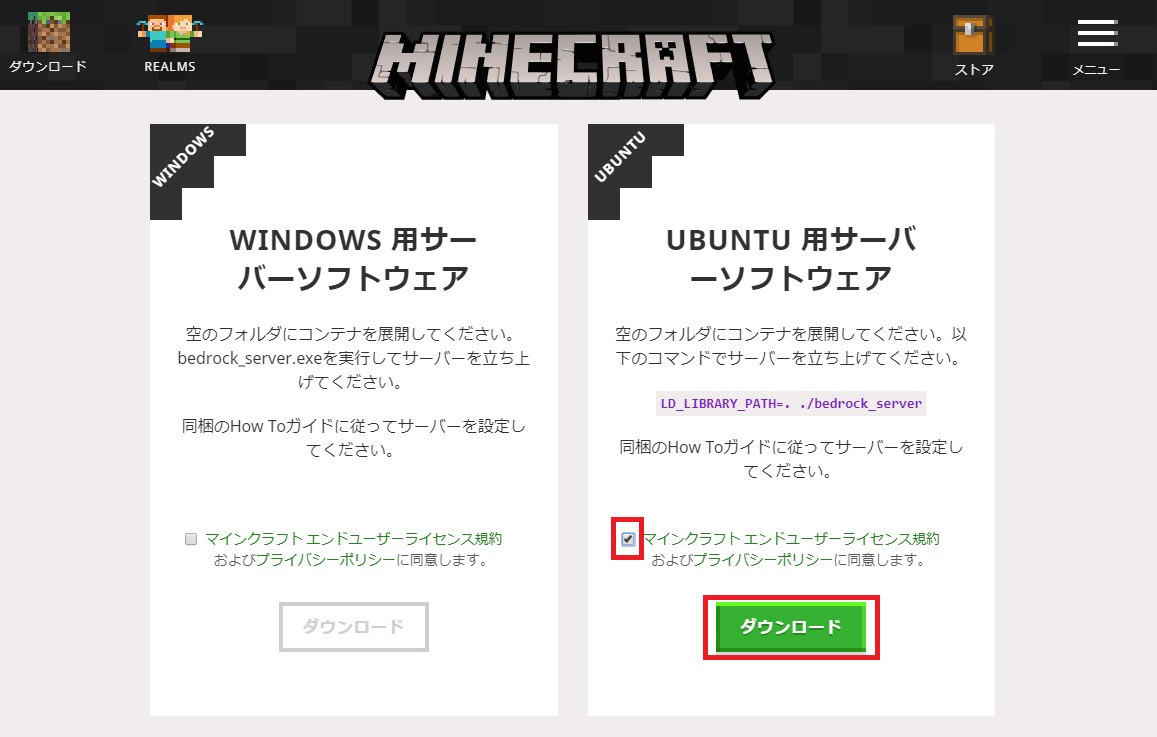
以下のREADMEに書いてあるコマンドの流れで設定します。
bedrock.serviceファイルのUserやbedrockサーバの実行バイナリが置いてある場所は各自の内容に置き換えてください。
備考
以下のサイトに紹介されている方法は余計なことが色々書いてあり、あまり使いたくなかったため自分で書きました。
This file contains hidden or bidirectional Unicode text that may be interpreted or compiled differently than what appears below. To review, open the file in an editor that reveals hidden Unicode characters.
Learn more about bidirectional Unicode characters
| # /etc/systemd/system/[email protected] by gatopeich | |
| ######### | |
| # HowTo # | |
| ######### | |
| # | |
| # - Copy this file to /etc/systemd/system/[email protected] | |
| # | |
| # - adduser --system --shell /bin/bash --home /opt/mcpe --group minecraft | |
| # | |
| # Under /opt/mcpe: | |
| # - Install mcpelauncher-server binary at /opt/mcpe | |
| # - Create subdir in /opt/mcpe/XX where XX is a name like 'survival' | |
| # - Create a /opt/mcpe/XX/server.properties | |
| # - Dump mcpe versions under /opt/mcpe/versions/ | |
| # | |
| # Enable/Start systemd service | |
| # systemctl enable minecraft@XX | |
| # systemctl start minecraft@XX | |
| # | |
| # To run multiple servers simply create a new subdir structure and enable/start it | |
| # systemctl enable minecraft@creative | |
| # systemctl start minecraft@creative | |
| # | |
| # Credits: | |
| # based on https://github.com/agowa338/MinecraftSystemdUnit | |
| [Unit] | |
| Description=Minecraft Bedrock Server %i | |
| After=network.target | |
| [Service] | |
| WorkingDirectory=/opt/mcpe/%i | |
| # Users Database is not available for within the unit, only root and minecraft is available, everybody else is nobody | |
| PrivateUsers=true | |
| User=minecraft | |
| Group=minecraft | |
| # Read only mapping of /usr /boot and /etc | |
| ProtectSystem=full | |
| # /home, /root and /run/user seem to be empty from within the unit. It is recommended to enable this setting for all long-running services (in particular network-facing ones). | |
| ProtectHome=true | |
| # /proc/sys, /sys, /proc/sysrq-trigger, /proc/latency_stats, /proc/acpi, /proc/timer_stats, /proc/fs and /proc/irq will be read-only within the unit. It is recommended to turn this on for most services. | |
| ProtectKernelTunables=true | |
| # Implies MountFlags=slave | |
| # Block module system calls, also /usr/lib/modules. It is recommended to turn this on for most services that do not need special file systems or extra kernel modules to work | |
| ProtectKernelModules=true | |
| # Implies NoNewPrivileges=yes | |
| ProtectControlGroups=true | |
| # It is hence recommended to turn this on for most services. | |
| # Implies MountAPIVFS=yes | |
| ExecStart=/usr/bin/screen -LDmS mc-%i /opt/mcpe/mcpelauncher-server -dg /opt/mcpe/versions/1.10.0.7 -dd /opt/mcpe/%i | |
| ExecReload=/usr/bin/screen -p 0 -S mc-%i -X stuff "reload^M" | |
| ExecStop=/usr/bin/screen -p 0 -S mc-%i -X stuff "say SERVER SHUTTING DOWN. Saving map...^M" | |
| ExecStop=/usr/bin/screen -p 0 -S mc-%i -X stuff "save-all^M" | |
| ExecStop=/usr/bin/screen -p 0 -S mc-%i -X stuff "stop^M" | |
| # ExecStop=/bin/sleep 10 | |
| Restart=on-failure | |
| RestartSec=30s | |
| [Install] | |
| WantedBy=multi-user.target |
LinuxAWS Bedrock Linux Minecraft Ubuntu
関連記事


この記事が役に立ったら
GitHub Sponsorsで応援できます