 Matsubo Tech Blog
110 文字
1 分
Enable "Ignore ownership on this volume"
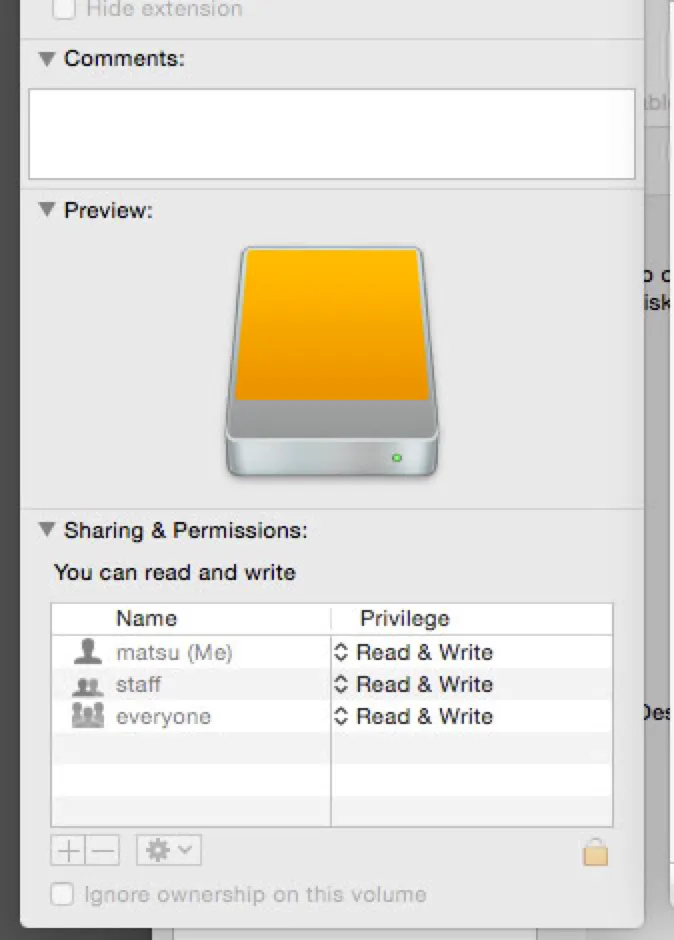
外付けのRAIDドライブのパーミッションが無効になっていて、全員がReadable/Writableな状態でした。
問題は、マウントされているVolumeを右クリックして表示される
Ignore ownership on this volume
にチェックが入っていたためです。
チェックを外したくても、項目が無効化されているので外せませんでした。
結局は、これやったら、直りました。
sudo /usr/sbin/vsdbutil -a /Volumes/LeslieMacBackup Enable "Ignore ownership on this volume"
https://blog.teraren.com/posts/ignore-ownership/ 関連記事


この記事が役に立ったら
GitHub Sponsorsで応援できます