 Matsubo Tech Blog
New Relicで自宅サーバ監視・Railsアプリ測定・外形監視を導入した手順
概要
- 自宅サーバと個人サービスに New Relic を導入してみました。
- 9 年ぶりに New Relic を触りました。別物と言えるぐらい高機能化していました。セットアップも簡単で UI も使いやすい。
- 無料で利用開始できるのでおすすめである。
この記事は New Relic Advent Calendar 2024の13日目の記事です。他の記事も見てね
背景
10 年ほど前に New Relic を無料版で使っていてたのですが、残念ながら 2015 年に、New Relic の無料版の提供が廃止されたのでそれ以降は別の監視サービスを転々と使ってきました。
このたび、Qiita の Advent Calendar にて New Relic に無料版があるという記述があったのでしばらくぶりに使ってみました。
このような監視サービスを選定する際は、自宅サーバで試してみて良かったら業務で使うという流れを取ることが多いので無料で提供されているのはとても助かります。
現在の監視運用
自宅サーバ、アプリケーションのリソース監視には Mackerel をかれこれ 7 年使い続けています。 1 日だけのリテンションであれば無料で使えます。
グラフは見やすいし、アラートもトリガーできるので小規模サービスには適しているサービスかなと思います。
また、HTTP による外形監視は無料ではできないので uptimerobotを利用しています。
Linuxサーバの監視
自宅サーバである Linux に NewRelic を入れて監視してみます。
自宅サーバは Ubuntu 24 で運用しています。
❯ fastfetch .... matsu@gmk .',:clooo: .:looooo:. --------- .;looooooooc .oooooooooo' OS: Ubuntu noble 24.04 x86_64 .;looooool:,''. :ooooooooooc Host: M2 ;looool;. 'oooooooooo, Kernel: Linux 6.8.0-36-generic ;clool' .cooooooc. ,, Uptime: 164 days(!), 17 hours, 39 mins ... ...... .:oo, Packages: 1524 (dpkg), 5 (snap) .;clol:,. .loooo' Shell: fish 3.7.0 :ooooooooo, 'ooool Theme: Yaru [GTK3]'ooooooooooo. loooo. Icons: Yaru [GTK3]'ooooooooool coooo. Cursor: Adwaita ,loooooooc. .loooo. Terminal: tmux 3.4 .,;;;'. ;ooooc CPU: 11th Gen Intel(R) Core(TM) i7-11390H (8) @ 5.00 GHz ... ,ooool. GPU: Intel Iris Xe Graphics @ 1.40 GHz [Integrated] .cooooc. ..',,'. .cooo. Memory: 14.08 GiB / 31.10 GiB (45%) ;ooooo:. ;oooooooc. :l. Swap: 2.64 GiB / 8.00 GiB (33%) .coooooc,.. coooooooooo. Disk (/): 199.40 GiB / 934.82 GiB (21%) - ext4 .:ooooooolc:. .ooooooooooo' Local IP (enp2s0): 192.168.1.28/24 .':loooooo; ,oooooooooc Locale: en_US.UTF-8 ..';::c' .;loooo:'早速左上部にある Integrations & Agents からLinuxを追加してエージェントを追加していきます。
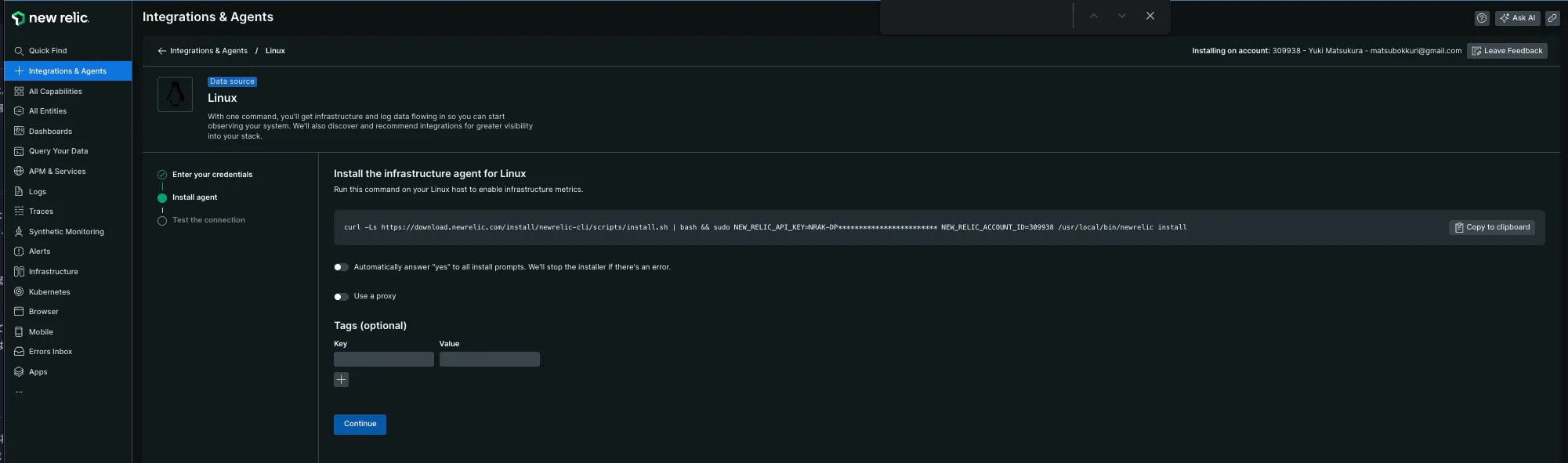
打つコマンドがコピー&ペーストできるように用意されているのでそのまま打ち込んでいきます。 コピペするだけなのでとても楽です。
❯ curl -Ls https://download.newrelic.com/install/newrelic-cli/scripts/install.sh | bash && sudo NEW_RELIC_API_KEY=NRAK-XXXXXXXXXXXXXXXXXXXXXXXXXXX NEW_RELIC_ACCOUNT_ID=00000 /usr/local/bin/newrelic installInstalling New Relic CLI v0.97.2Installing to /usr/local/bin using sudo[sudo] password for matsu:
 _   _                 ____      _ _| \ | | _____      __ |  _ \ ___| (_) ___|  \| |/ _ \ \ /\ / / | |_) / _ | | |/ __|| |\  |  __/\ V  V /  |  _ |  __| | | (__|_| \_|\___| \_/\_/   |_| \_\___|_|_|\___|
Welcome to New Relic. Let's set up full stack observability for your environment.Our Data Privacy Notice: https://newrelic.com/termsandconditions/services-notices
◥ Connecting to New Relic Platform.
上記のメッセージが表示されて様々なパッケージのインストールが行われていきます。 5分ぐらいトータルで経過したと思います。
インストールログ:
Installing New Relic
==> Installing Infrastructure AgentDetecting available SSL ciphers... - SSLv3 - TLSv1 - TLSv1.2 - TLSv1.3Hit:1 https://nvidia.github.io/libnvidia-container/stable/deb/amd64  InReleaseHit:2 http://jp.archive.ubuntu.com/ubuntu noble InReleaseGet:3 http://security.ubuntu.com/ubuntu noble-security InRelease [126 kB]Get:4 http://jp.archive.ubuntu.com/ubuntu noble-updates InRelease [126 kB]Get:5 https://pkgs.tailscale.com/stable/ubuntu noble InReleaseGet:6 https://esm.ubuntu.com/apps/ubuntu noble-apps-security InRelease [7,532 B]Hit:7 https://ppa.launchpadcontent.net/zhangsongcui3371/fastfetch/ubuntu noble InReleaseGet:8 https://esm.ubuntu.com/apps/ubuntu noble-apps-updates InRelease [7,468 B]Get:9 http://jp.archive.ubuntu.com/ubuntu noble-backports InRelease [126 kB]Get:10 https://esm.ubuntu.com/infra/ubuntu noble-infra-updates InRelease [7,461 B]Get:11 http://security.ubuntu.com/ubuntu noble-security/main amd64 Components [7,192 B]Get:12 https://esm.ubuntu.com/infra/ubuntu noble-infra-security InRelease [7,462 B]Get:13 http://security.ubuntu.com/ubuntu noble-security/restricted amd64 Components [212 B]Get:14 http://security.ubuntu.com/ubuntu noble-security/universe amd64 Packages [564 kB]Get:15 http://jp.archive.ubuntu.com/ubuntu noble-updates/main amd64 Packages [706 kB]Get:16 http://jp.archive.ubuntu.com/ubuntu noble-updates/main amd64 Components [151 kB]Get:17 http://jp.archive.ubuntu.com/ubuntu noble-updates/restricted amd64 Components [212 B]Get:18 http://jp.archive.ubuntu.com/ubuntu noble-updates/universe amd64 Packages [729 kB]Get:19 http://security.ubuntu.com/ubuntu noble-security/universe amd64 Components [51.9 kB]Get:20 http://security.ubuntu.com/ubuntu noble-security/multiverse amd64 Components [208 B]Get:21 http://jp.archive.ubuntu.com/ubuntu noble-updates/universe amd64 Components [310 kB]Get:22 http://jp.archive.ubuntu.com/ubuntu noble-updates/multiverse amd64 Components [940 B]Get:23 http://jp.archive.ubuntu.com/ubuntu noble-backports/main amd64 Components [208 B]Get:24 http://jp.archive.ubuntu.com/ubuntu noble-backports/restricted amd64 Components [216 B]Get:25 http://jp.archive.ubuntu.com/ubuntu noble-backports/universe amd64 Components [11.7 kB]Get:26 http://jp.archive.ubuntu.com/ubuntu noble-backports/multiverse amd64 Components [212 B]Fetched 2,947 kB in 8s (370 kB/s)Reading package lists...Warning: apt-key is deprecated. Manage keyring files in trusted.gpg.d instead (see apt-key(8)).OKGet:1 https://download.newrelic.com/infrastructure_agent/linux/apt noble InRelease [10.8 kB]Hit:2 https://nvidia.github.io/libnvidia-container/stable/deb/amd64  InReleaseGet:3 https://download.newrelic.com/infrastructure_agent/linux/apt noble/main amd64 Packages [20.8 kB]Hit:4 http://jp.archive.ubuntu.com/ubuntu noble InReleaseHit:5 http://security.ubuntu.com/ubuntu noble-security InReleaseHit:6 http://jp.archive.ubuntu.com/ubuntu noble-updates InReleaseGet:7 https://pkgs.tailscale.com/stable/ubuntu noble InReleaseHit:8 https://ppa.launchpadcontent.net/zhangsongcui3371/fastfetch/ubuntu noble InReleaseHit:9 http://jp.archive.ubuntu.com/ubuntu noble-backports InReleaseHit:10 https://esm.ubuntu.com/apps/ubuntu noble-apps-security InReleaseHit:11 https://esm.ubuntu.com/apps/ubuntu noble-apps-updates InReleaseHit:12 https://esm.ubuntu.com/infra/ubuntu noble-infra-updates InReleaseHit:13 https://esm.ubuntu.com/infra/ubuntu noble-infra-security InReleaseFetched 38.1 kB in 2s (16.0 kB/s)Reading package lists...W: https://download.newrelic.com/infrastructure_agent/linux/apt/dists/noble/InRelease: Key is stored in legacy trusted.gpg keyring (/etc/apt/trusted.gpg), see the DEPRECATION section in apt-key(8) for details.[master 7b2a993] saving uncommitted changes in /etc prior to apt run Author: Yuki Matsukura <[email protected]> 4 files changed, 11 insertions(+) create mode 100644 apt/sources.list.d/newrelic-infra.list create mode 100644 apt/trusted.gpg create mode 100644 newrelic-infra.ymlSelecting previously unselected package libpq5:amd64.(Reading database ... 412755 files and directories currently installed.)Preparing to unpack .../libpq5_16.6-0ubuntu0.24.04.1_amd64.deb ...Unpacking libpq5:amd64 (16.6-0ubuntu0.24.04.1) ...Selecting previously unselected package fluent-bit.Preparing to unpack .../fluent-bit_3.1.9_amd64.deb ...Unpacking fluent-bit (3.1.9) ...Selecting previously unselected package newrelic-infra.Preparing to unpack .../newrelic-infra_1.58.0_amd64.deb ...Unpacking newrelic-infra (1.58.0) ...Setting up libpq5:amd64 (16.6-0ubuntu0.24.04.1) ...Setting up newrelic-infra (1.58.0) ...Created symlink /etc/systemd/system/multi-user.target.wants/newrelic-infra.service → /etc/systemd/system/newrelic-infra.service.Setting up fluent-bit (3.1.9) ...Processing triggers for libc-bin (2.39-0ubuntu8.3) ...[master 9601789] committing changes in /etc made by "apt-get -o DPkg::Lock::Timeout=60 install newrelic-infra -y -qq" Author: Yuki Matsukura <[email protected]> 12 files changed, 477 insertions(+) create mode 100644 fluent-bit/fluent-bit.conf create mode 100644 fluent-bit/parsers.conf create mode 100644 fluent-bit/plugins.conf create mode 100644 newrelic-infra/integrations.d/docker-config.yml create mode 100644 newrelic-infra/logging.d/file.yml.example create mode 100644 newrelic-infra/logging.d/fluentbit.yml.example create mode 100644 newrelic-infra/logging.d/syslog.yml.example create mode 100644 newrelic-infra/logging.d/systemd.yml.example create mode 100644 newrelic-infra/logging.d/tcp.yml.example create mode 120000 systemd/system/multi-user.target.wants/newrelic-infra.service create mode 100644 systemd/system/newrelic-infra.serviceo
 [snip]
色々インストールされたみたいです。
 --------------------Installation Summary
✔  Golden Signal Alerts  (installed)✔  Infrastructure Agent  (installed)✔  Logs Integration  (installed)−  PostgreSQL Integration  (canceled)
View your data at the link below:⮕  https://onenr.io/0PwJkmyg7R7
View your logs at the link below:⮕  https://onenr.io/0qwyqxKMXwn--------------------
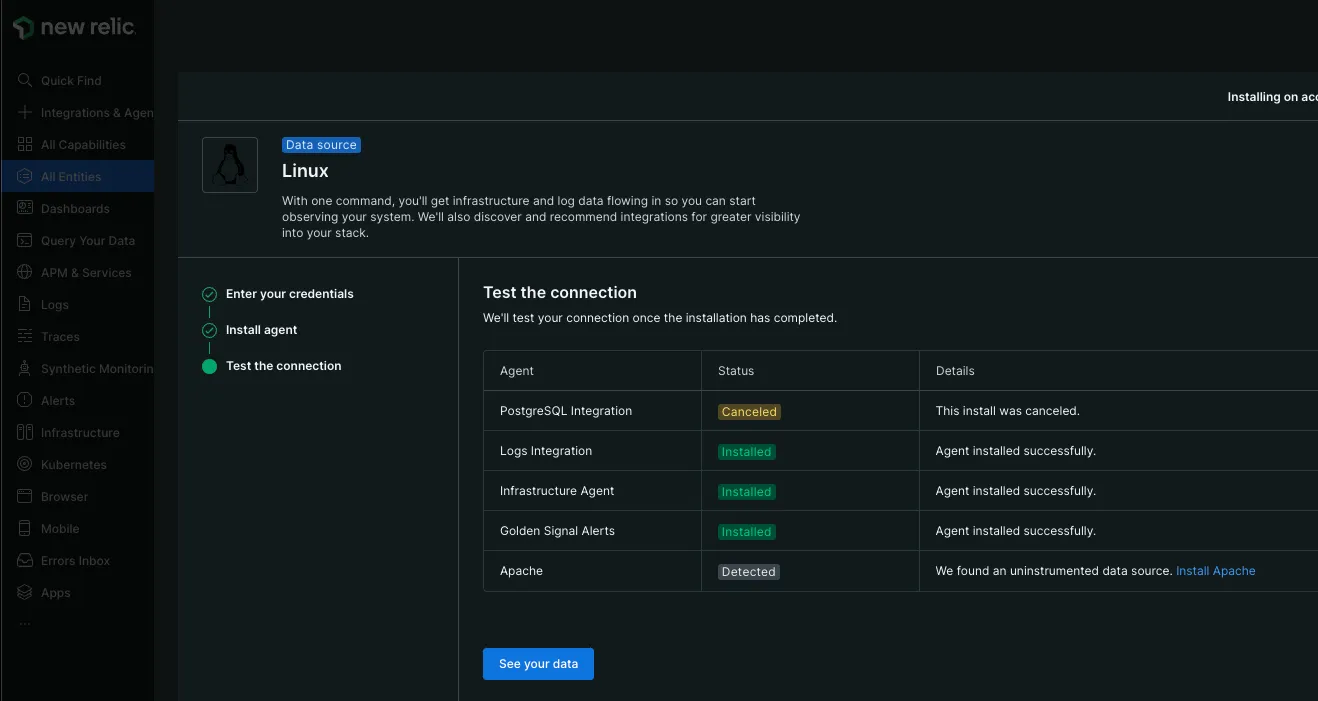
最後に結果のサマリーが表示されます。 postgresqlはOSにはインストールされていないので、インストールはしなかったようです。
Webの方に戻ってみると同様の結果が表示されています。
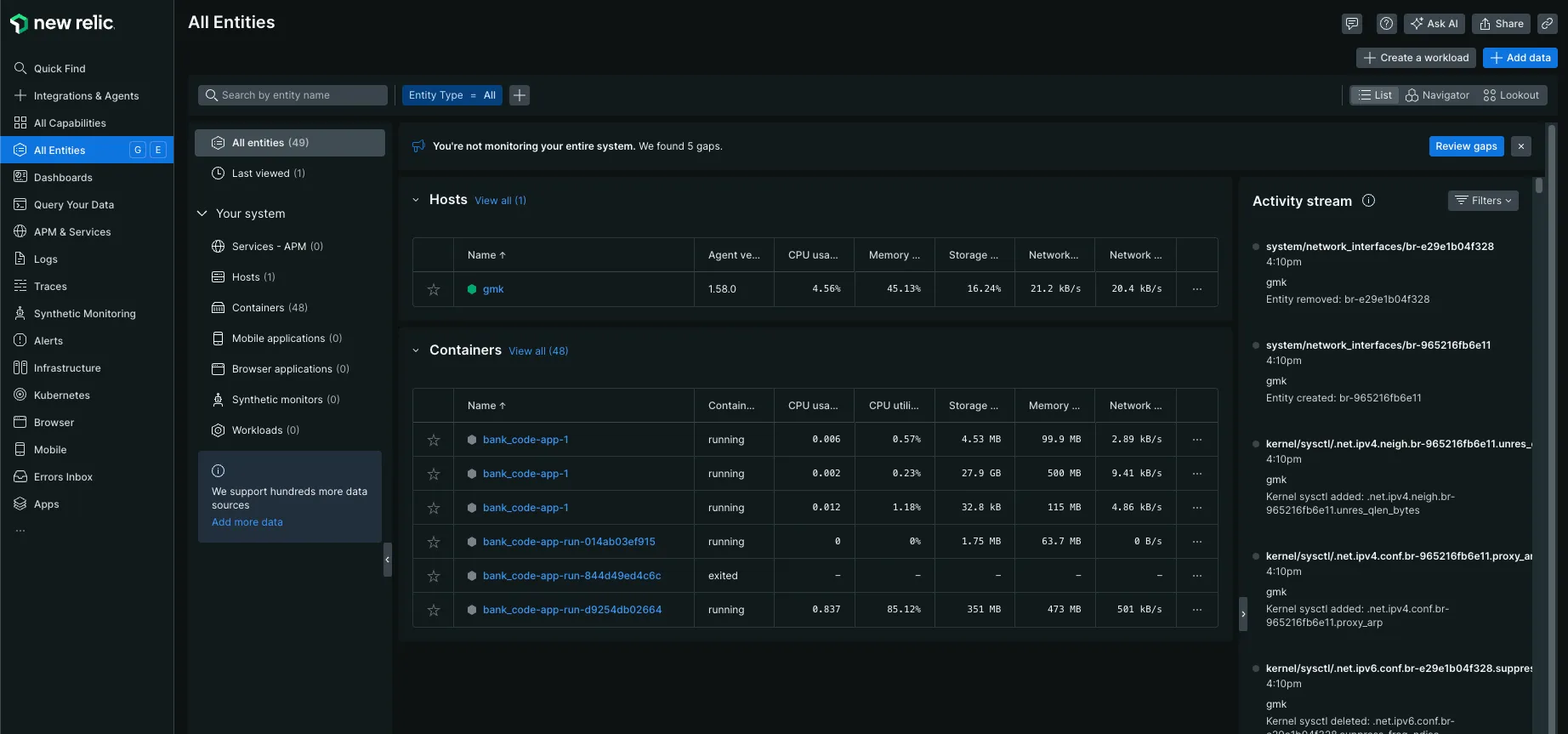
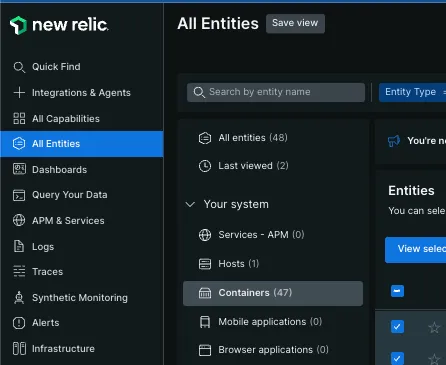
左のメニューからall entitiesを選択するとさきほどインストールしたホストが一覧に表示されます。
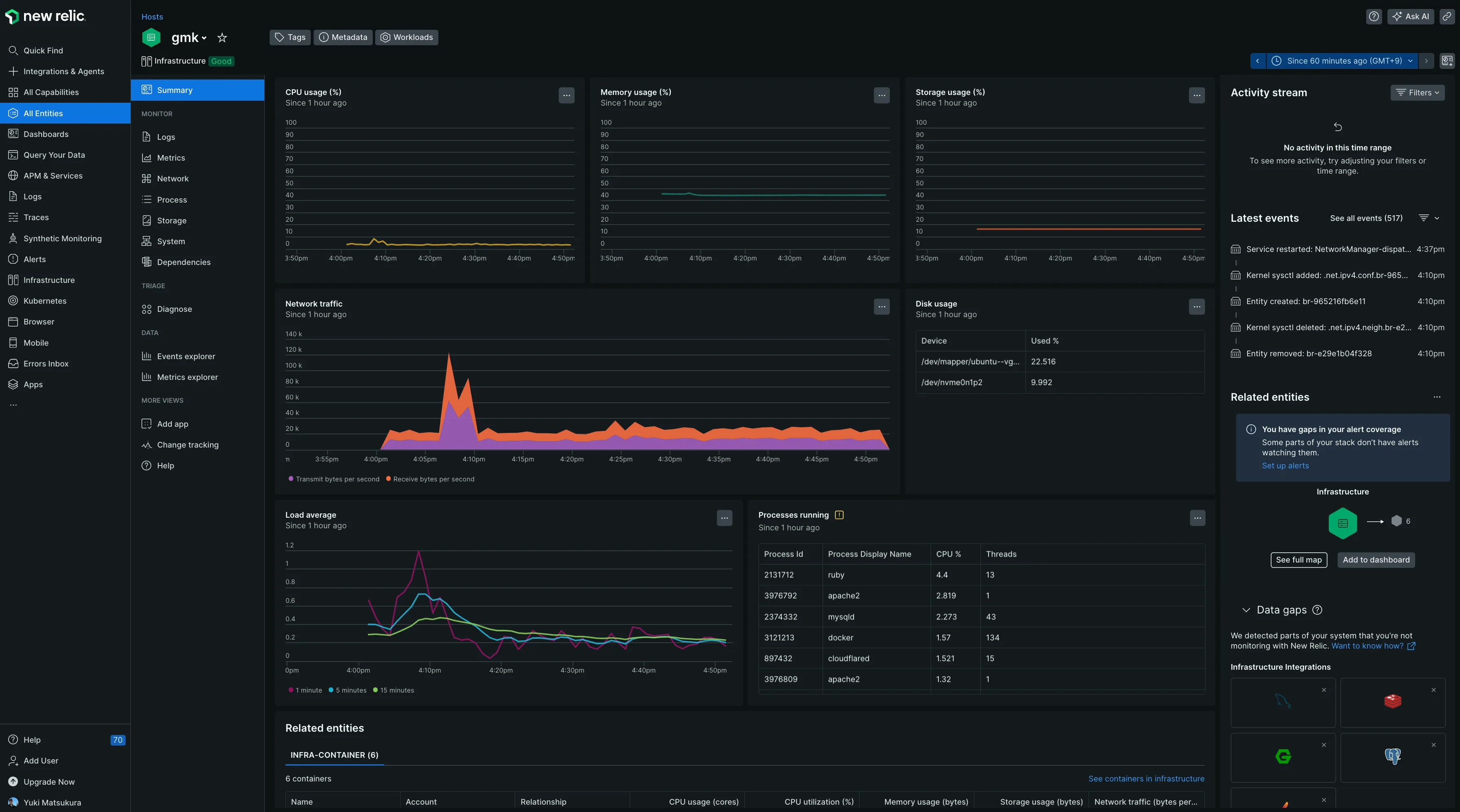
早速ですがメトリックがグラフになって表示されています。特に設定はしていなくてもこのダッシュボードと計測メトリックがデフォルトで提供されます。楽です!
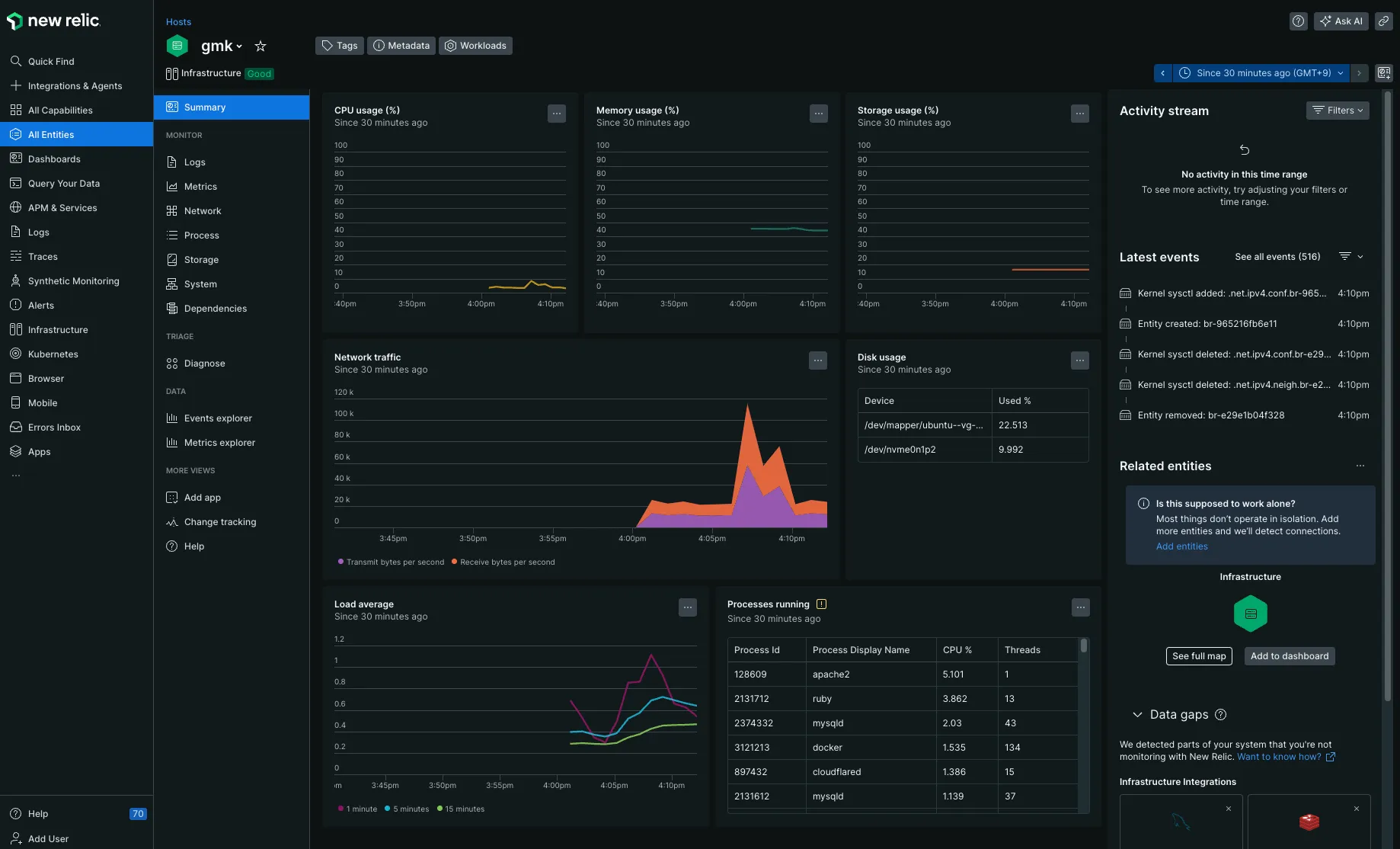
短期間だとデータが溜まっていないのでしばらくしてから再度アクセスしてみました。色々溜まってます。
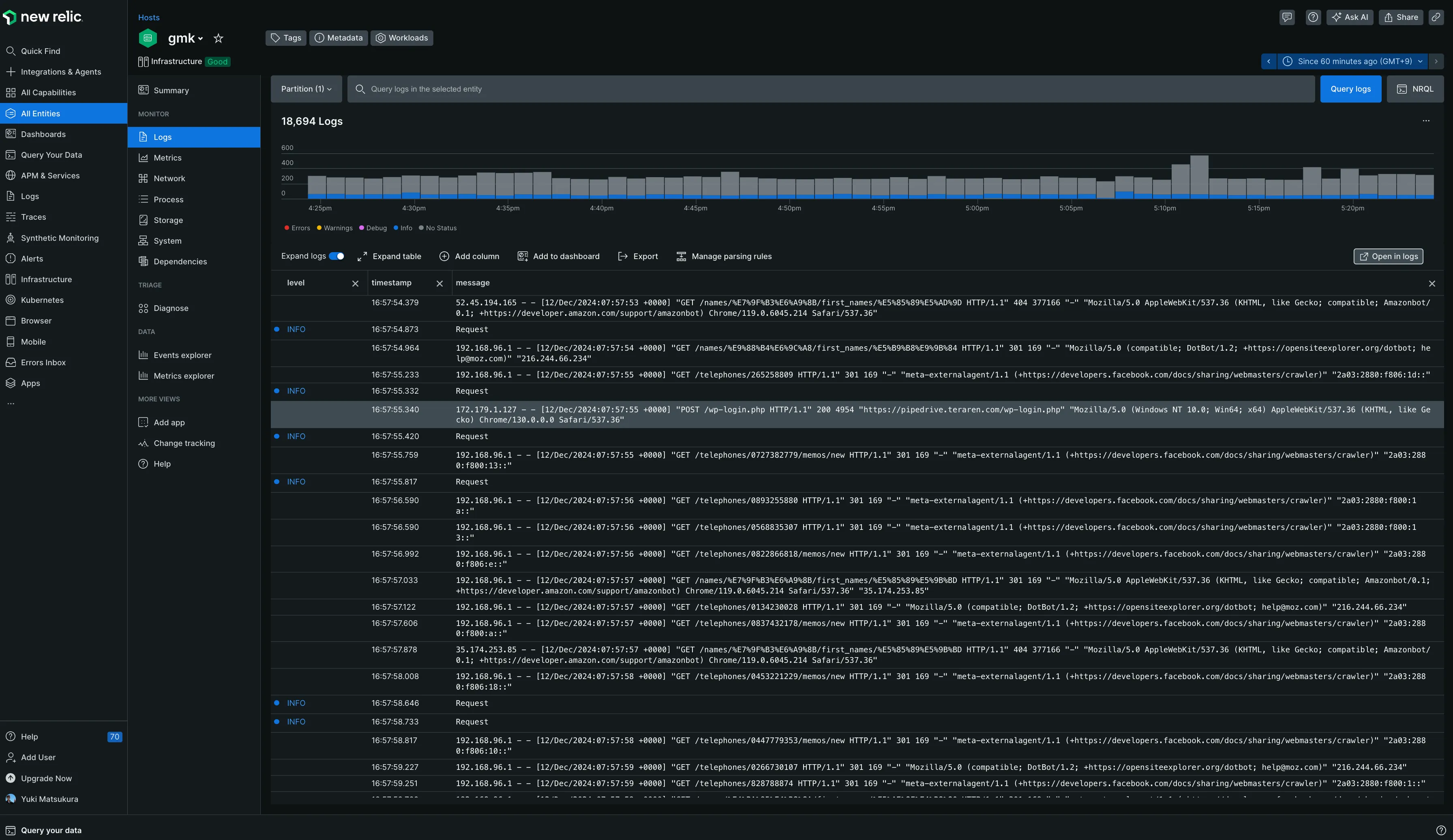
別のニューを見てみます。OSのログもNew Relicに送信されているようでリアルタイムでログの出力が確認できます。 おそらく、/var/log/nginxに保存されているアクセスログが出力されているようです。
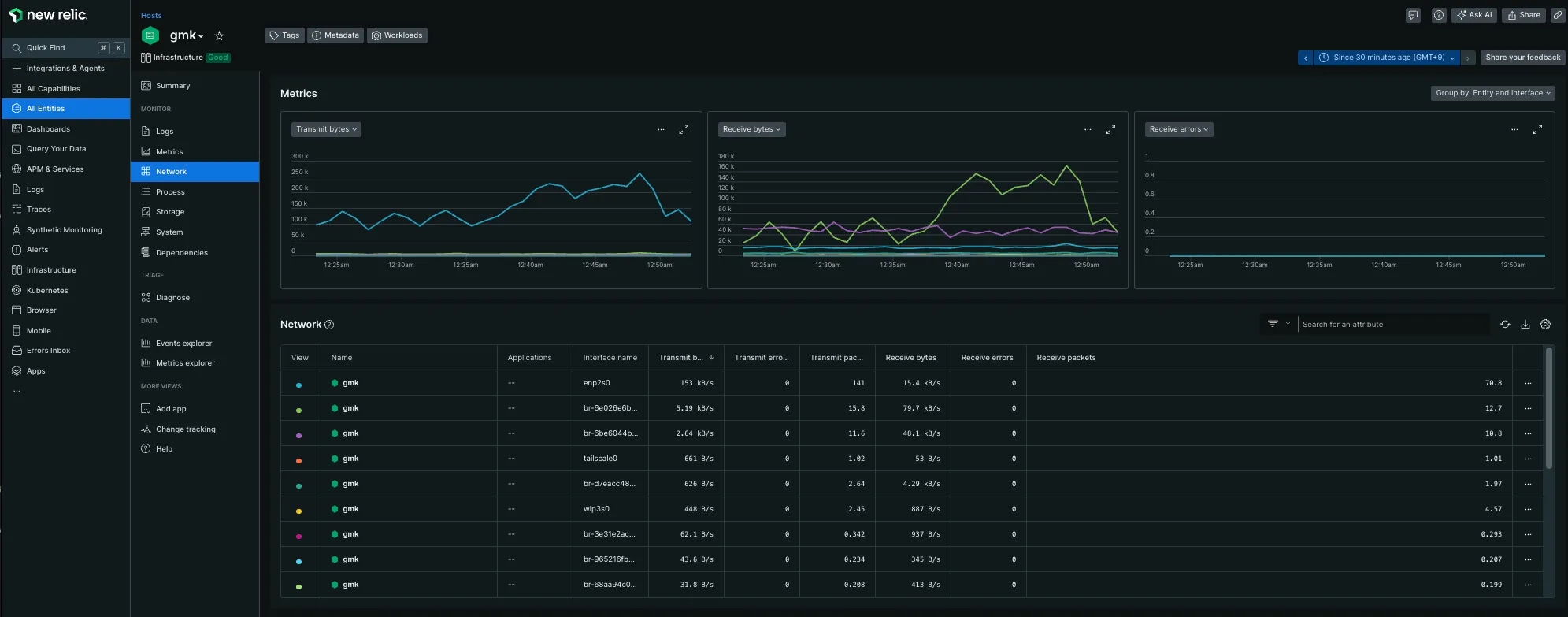
network関連のメニュー
トラフィックが見られます
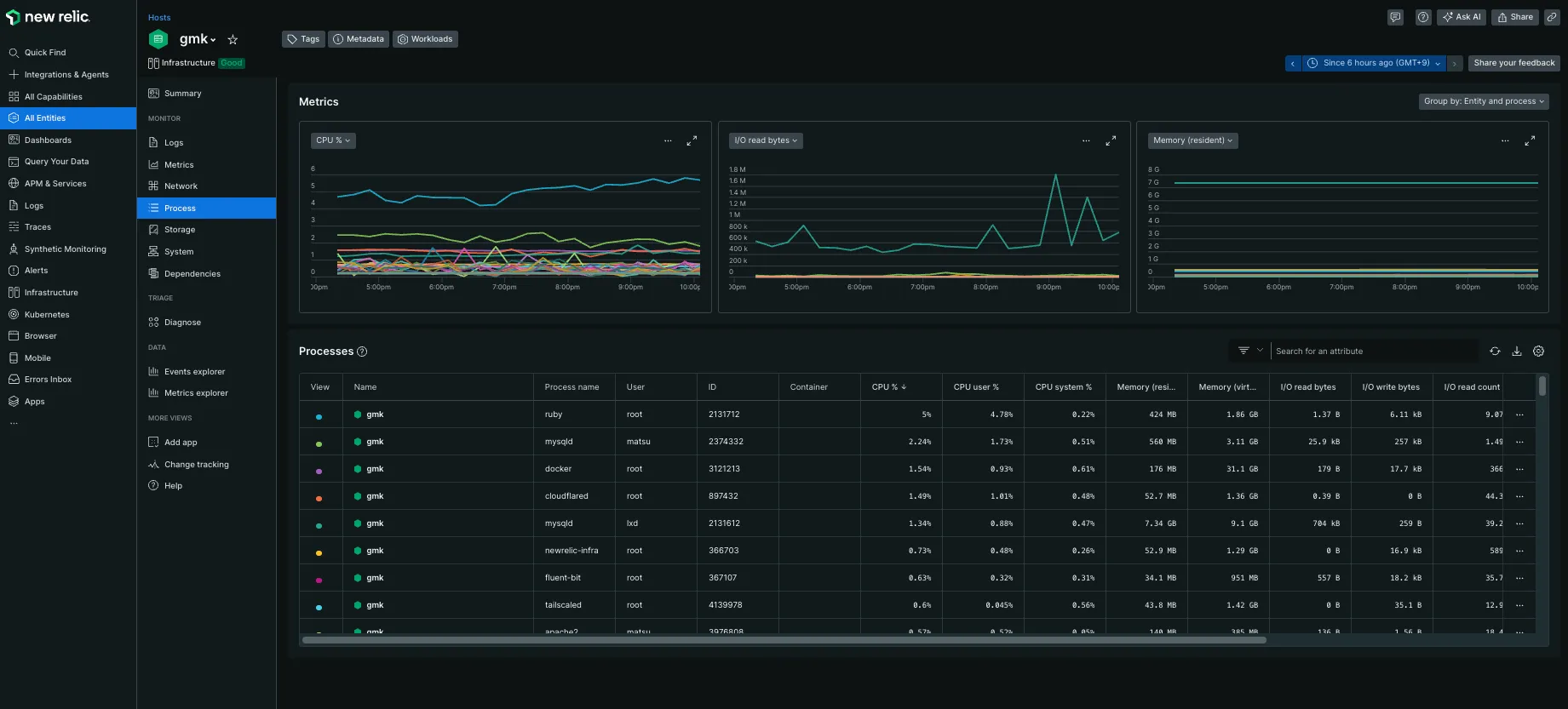
process関連のメニュー
メモリ利用量などが見られます
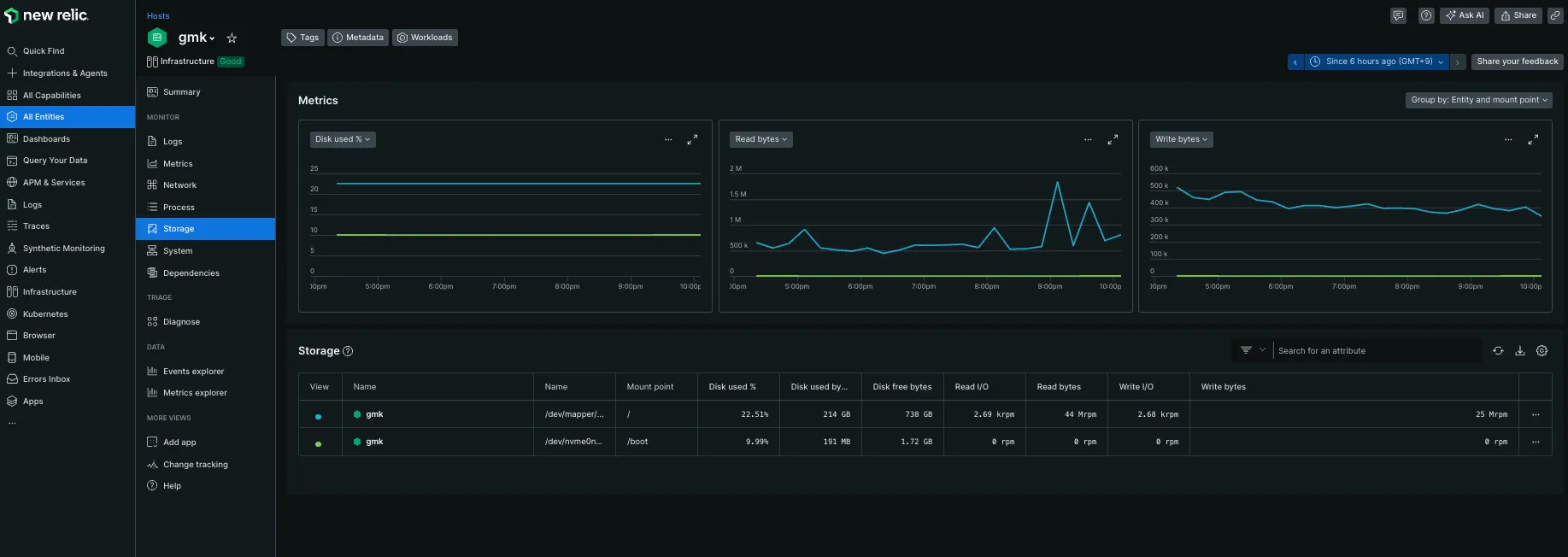
storage関連のメニュー
容量と、ディスクアクセスが見られます
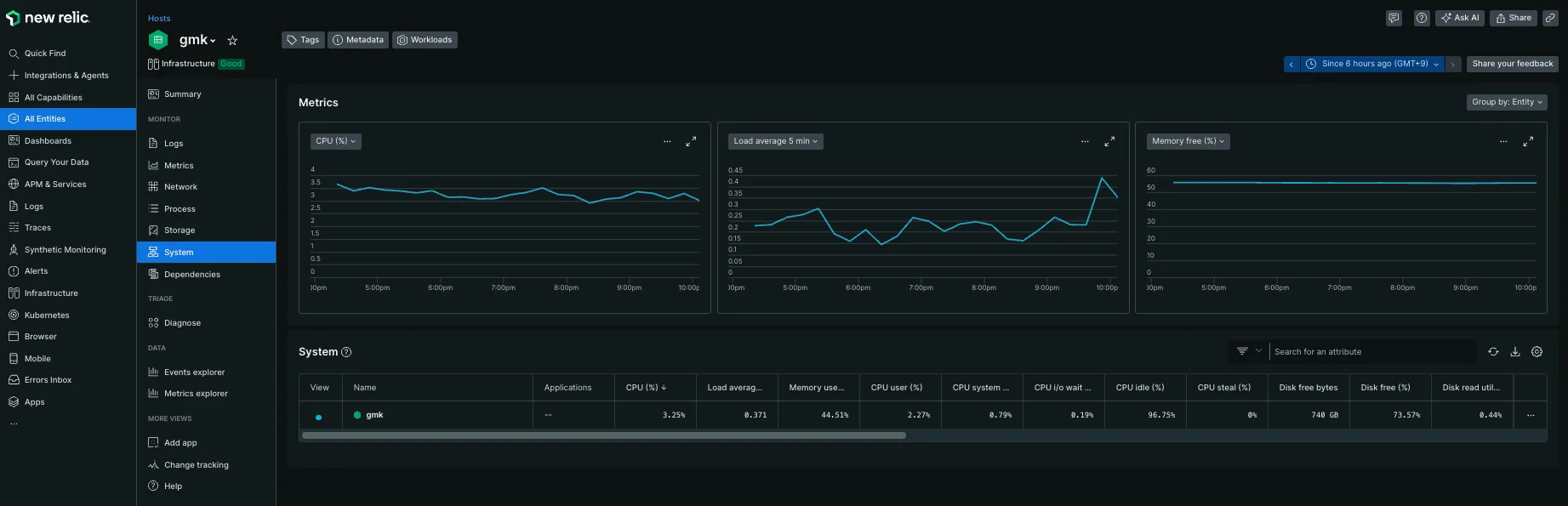
systemのメニュー
Load Averageやメモリ使用量が見られます
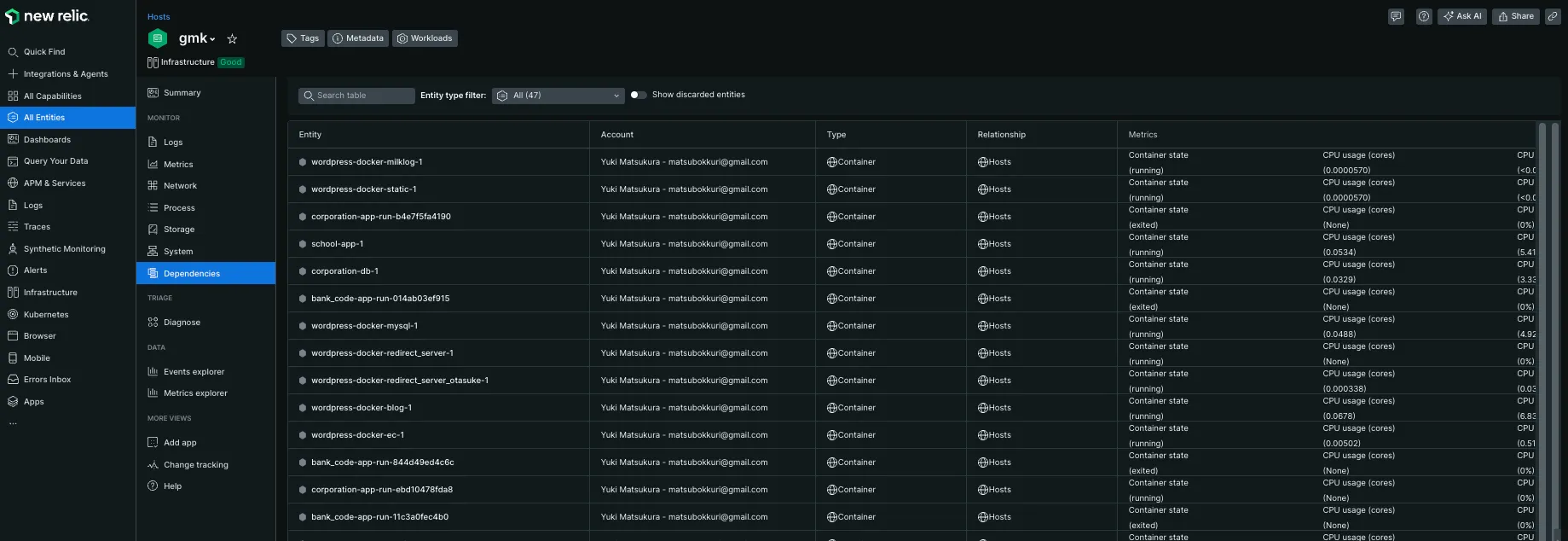
Dependenciesのメニュー
docker containerが一覧で見られる感じです。
Diagnoseのメニュー
横断的に重要な指標が表示されています
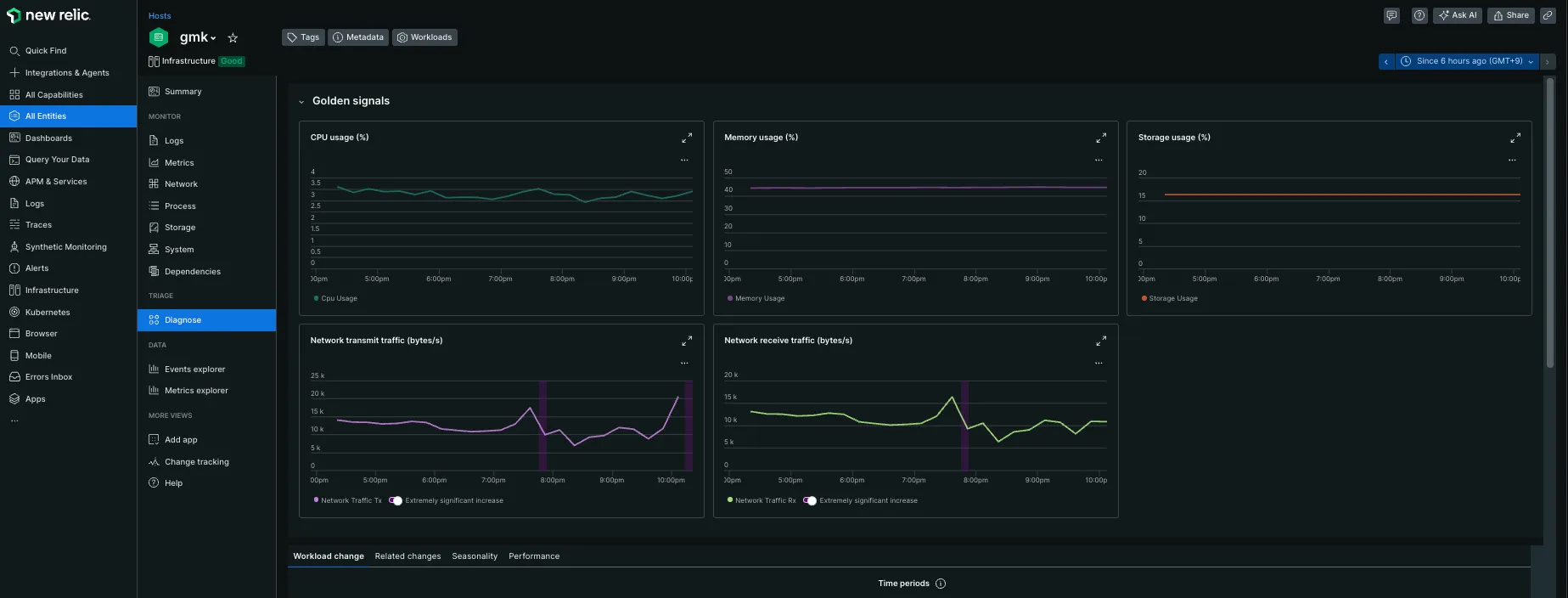
特に設定をせずにAgentをインストールするだけで様々な指標がグラフィカルに表示できるようになりました。
ここまでで15分ぐらいしかかかっていないので導入の簡単さに驚きです。
APM
APMとは、アプリケーションやシステムのパフォーマンスを監視・管理するプロセス、またはそのためのツールを指します。
APMの主な機能には、次のようなものがあります。
- 応答時間、スループット、エラー率などの主要なメトリックの監視
- 障害の自動検出とリアルタイムなアラート通知
- リソースの使用状況のトラッキング
- サービスレベル指標の可視化
- エンド・ツー・エンドでの構成の可視化
- アプリケーションリリースや構成変更の記録
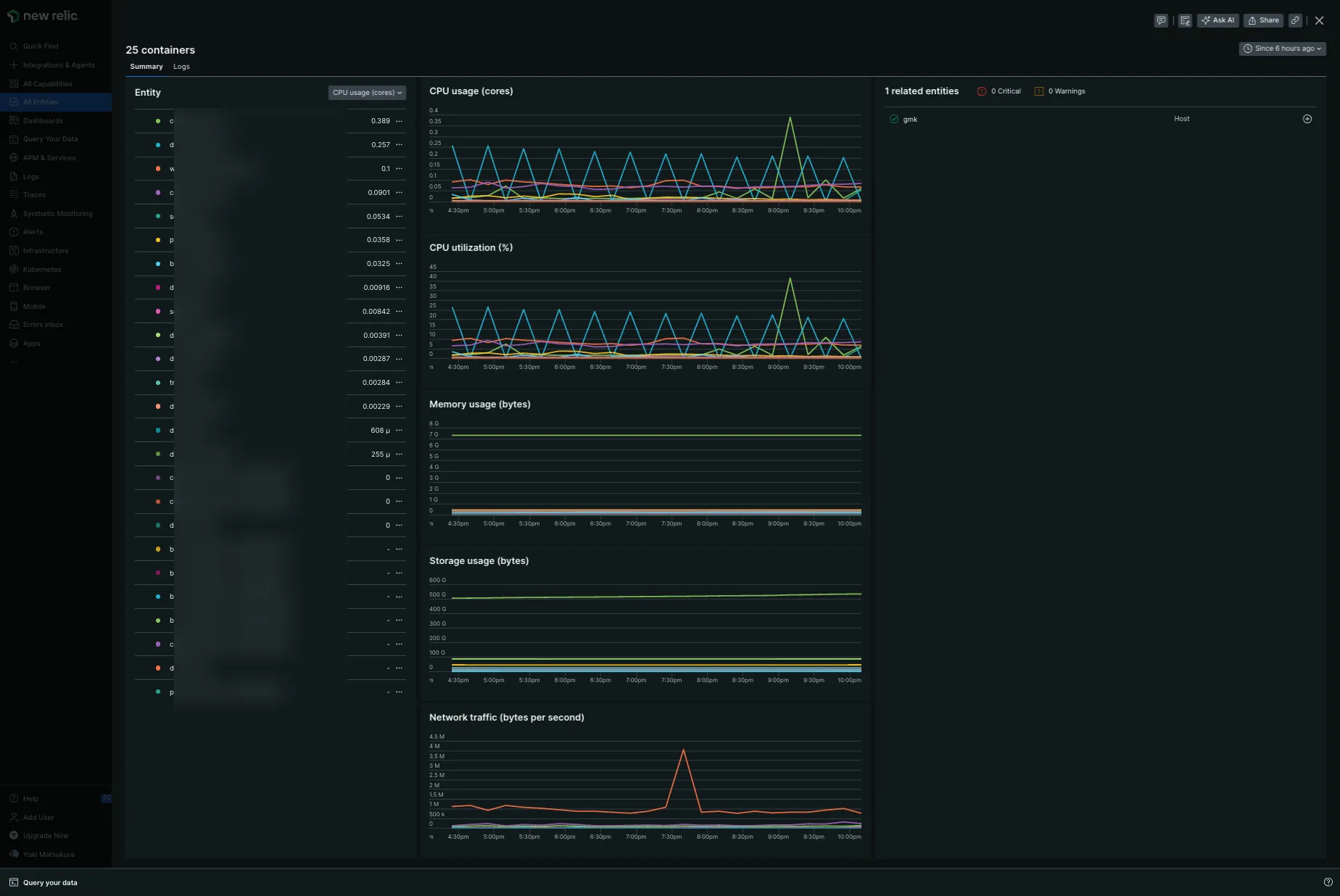
Dockerの統計情報は、APMを入れないでも閲覧できました。
Ruby on RailsへAPMの導入
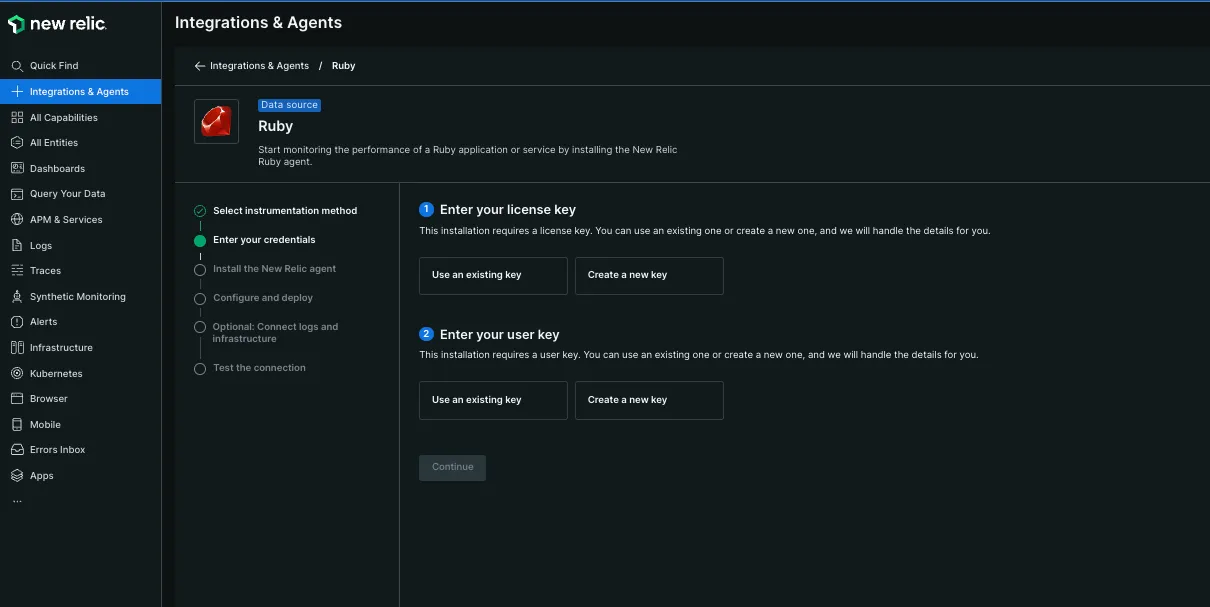
個人サービスをRailsで運用しているのでRailsに インストールしてみます。
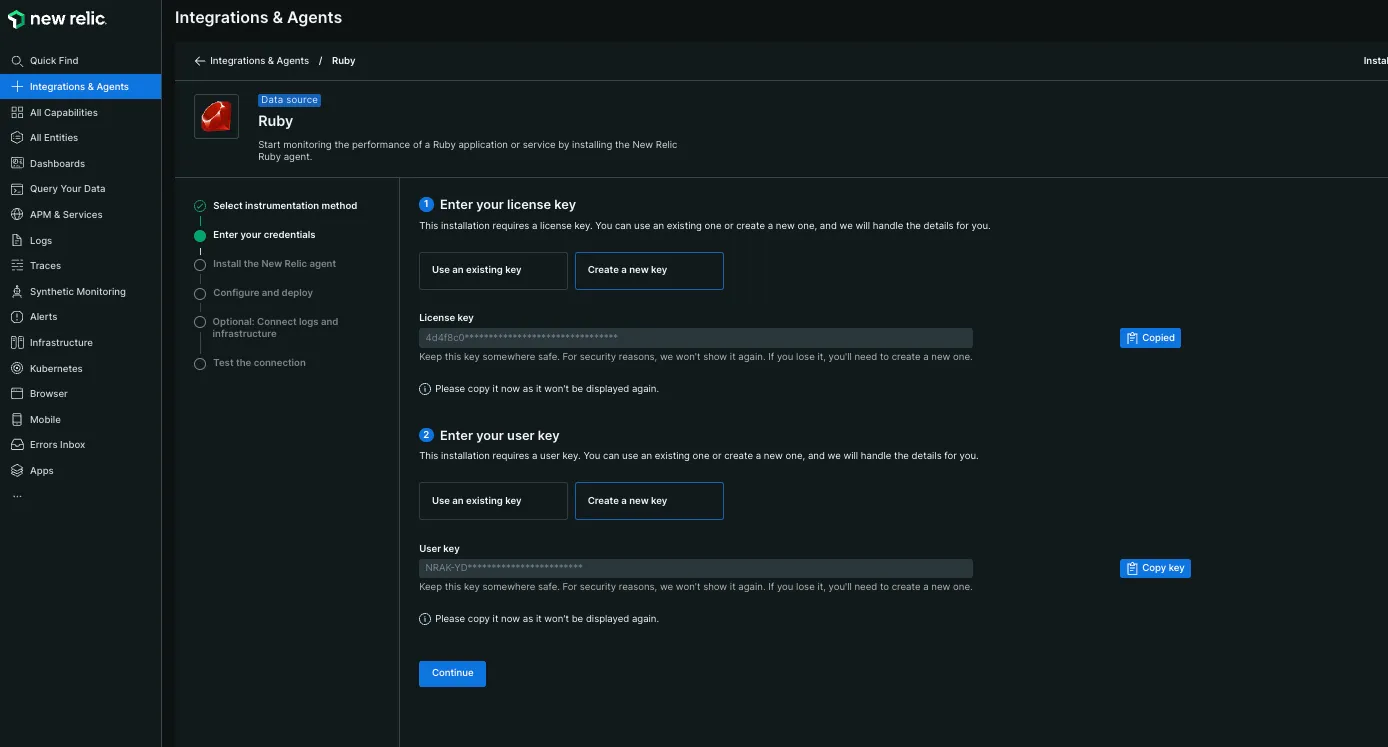
表示される手順通りにセットアップすれば完了します。
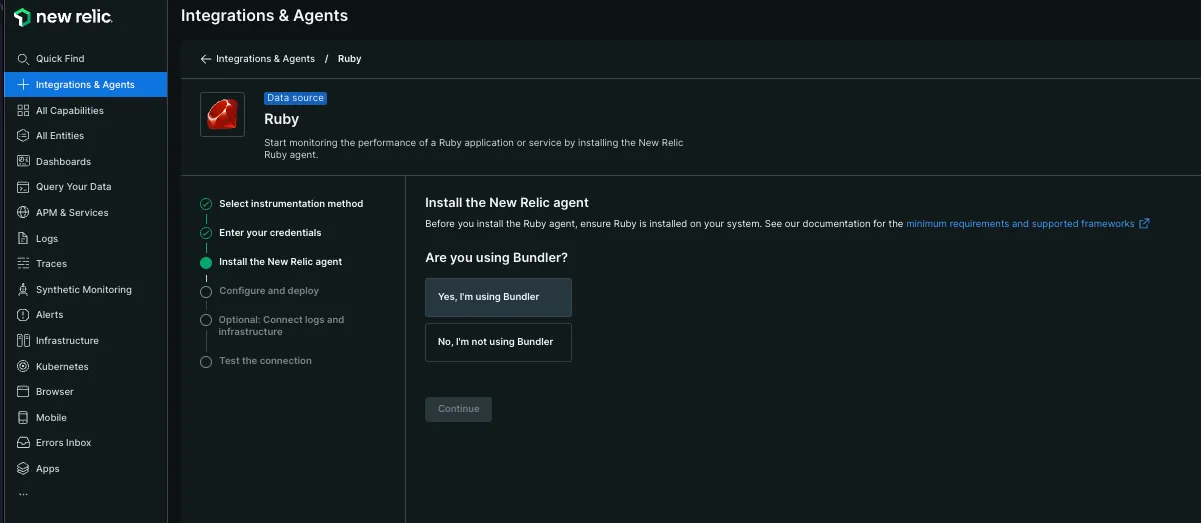
bundler add newrelic_rpm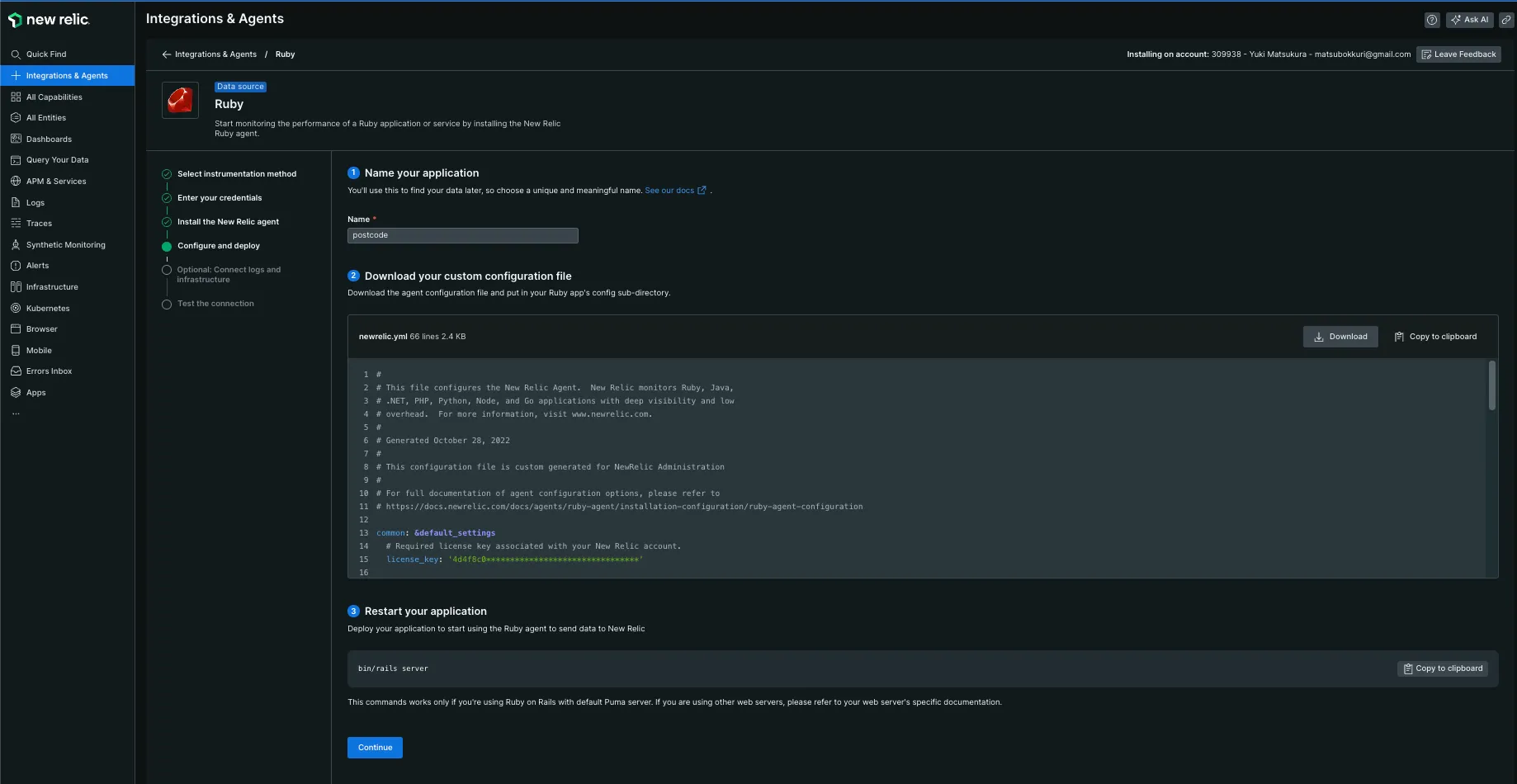
表示されている設定内容を config/newrelic.yml へ保存します。
その後、Railsのアプリケーションサーバを再起動します。
次に、エージェントのプログラムをインストールします。
root@924713a52351:/app# curl -Ls https://download.newrelic.com/install/newrelic-cli/scripts/install.sh | bash && sudo NEW_RELIC_API_KEY=NRAK-XXXXXXXXXXXXXXXXXXXXXX NEW_RELIC_ACCOUNT_ID=1111111 /usr/local/bin/newrelic install -n logs-integrationInstalling New Relic CLI v0.97.2Installing to /usr/local/bin
 _   _                 ____      _ _| \ | | _____      __ |  _ \ ___| (_) ___|  \| |/ _ \ \ /\ / / | |_) / _ | | |/ __|| |\  |  __/\ V  V /  |  _ |  __| | | (__|_| \_|\___| \_/\_/   |_| \_\___|_|_|\___|
Welcome to New Relic. Let's set up full stack observability for your environment.Our Data Privacy Notice: https://newrelic.com/termsandconditions/services-notices
✔ Connecting to New Relic Platform   Connected

Installing New Relic Logs Integration  --------------------  Installation Summary
  ⊘  Infrastructure Agent  (unsupported)  ⊘  Logs Integration  (unsupported)
  Installation incomplete. Follow the instructions at the URL below to complete the installation process.
  ⮕  https://onenr.io/0ERz7nLxzjr
  --------------------

We encountered an issue during the installation: no recipes were installed.If this problem persists, visit the documentation and support page for additional help here at https://docs.newrelic.com/docs/infrastructure/install-infrastructure-agent/get-started/requirements-infrastructure-agent/
インストールに失敗したというメセージが出てきましたが、NewRelicのWebを閲覧してみたら Docker Containerの情報が出力されていました。
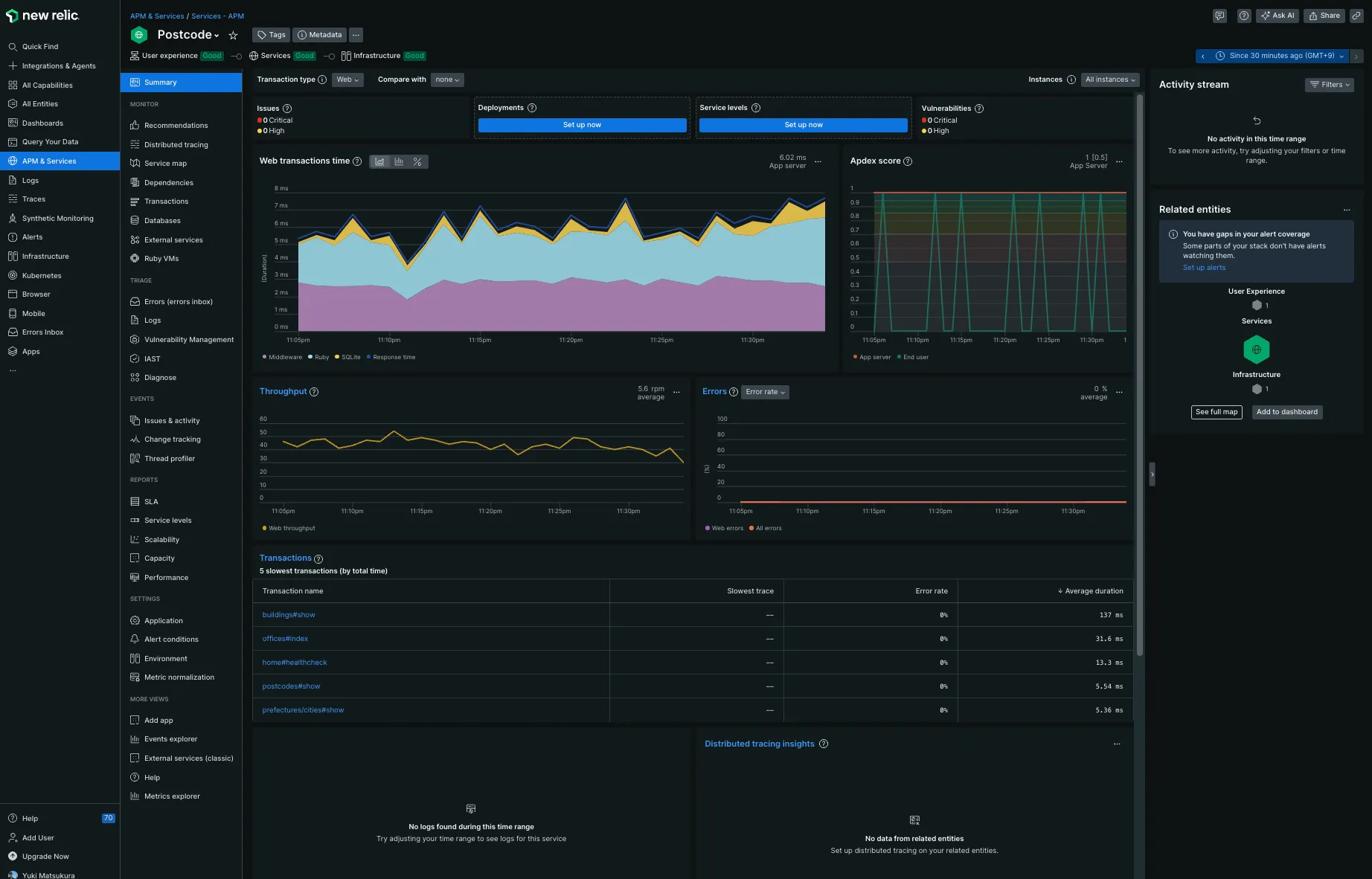
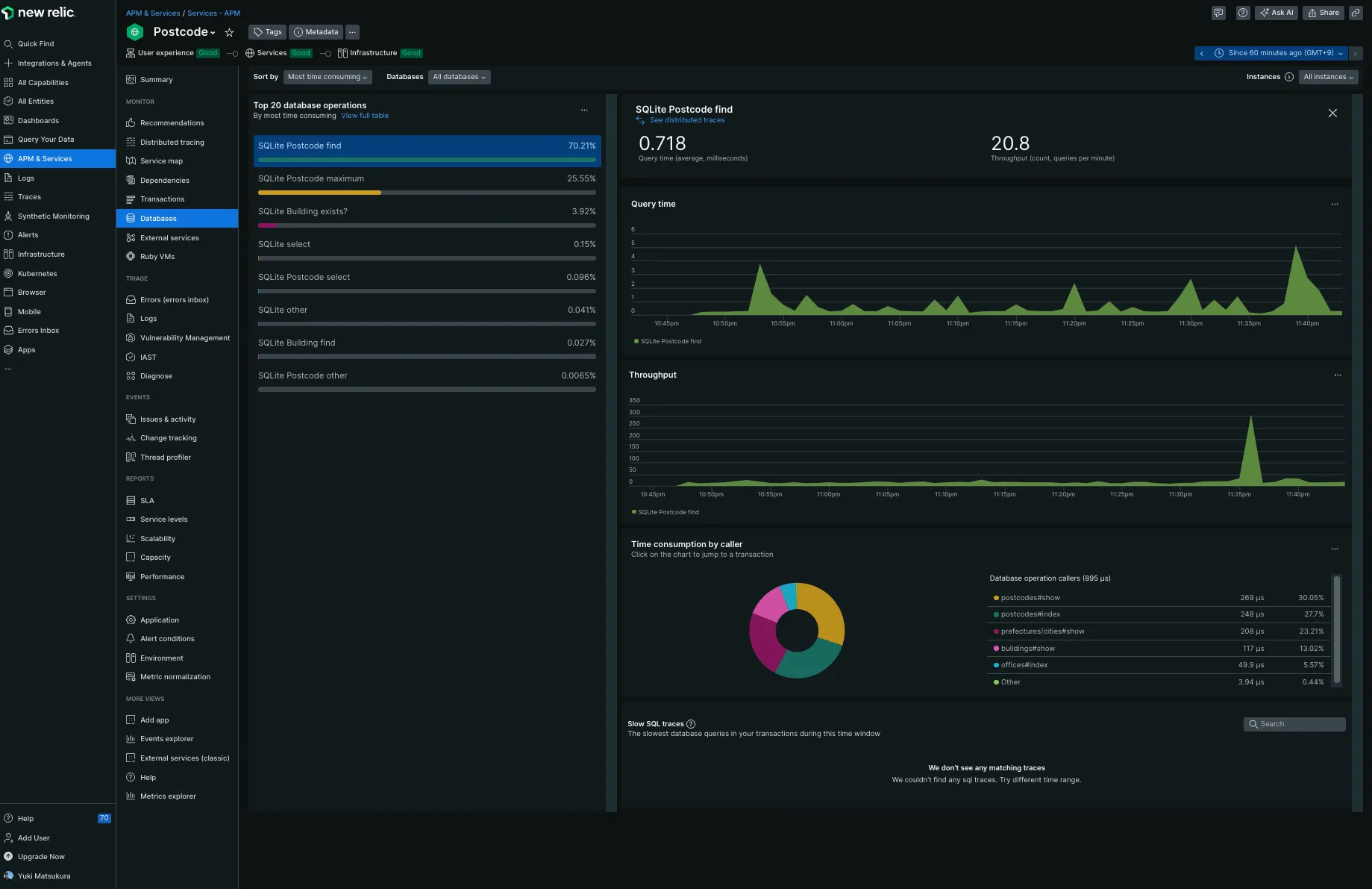
真ん中あたりにある、遅いリクエストトップ5が掲載されています。
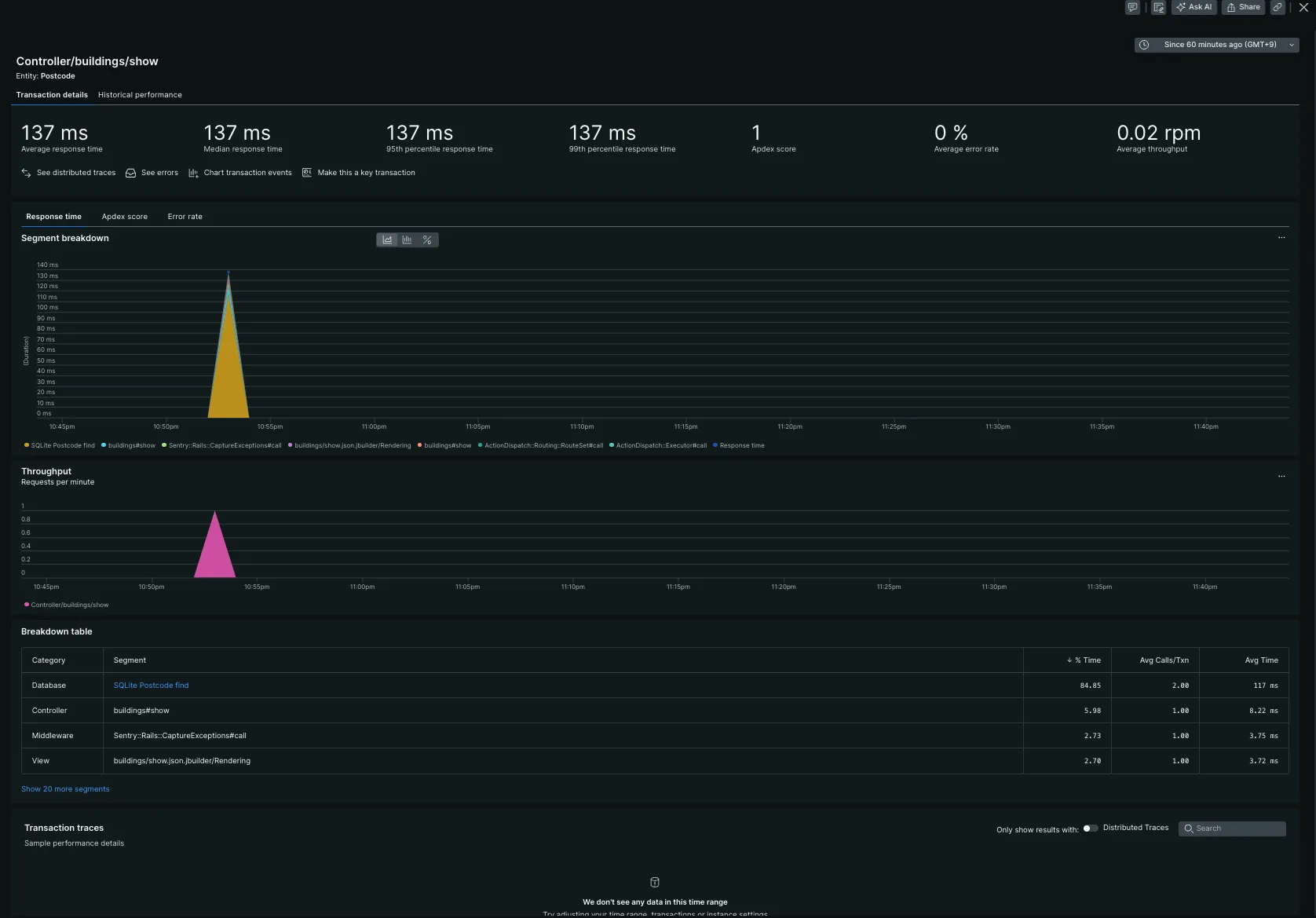
クリックすると、ブレークダウンしてくれます。遅い処理を簡単に分析できます。すごい便利。
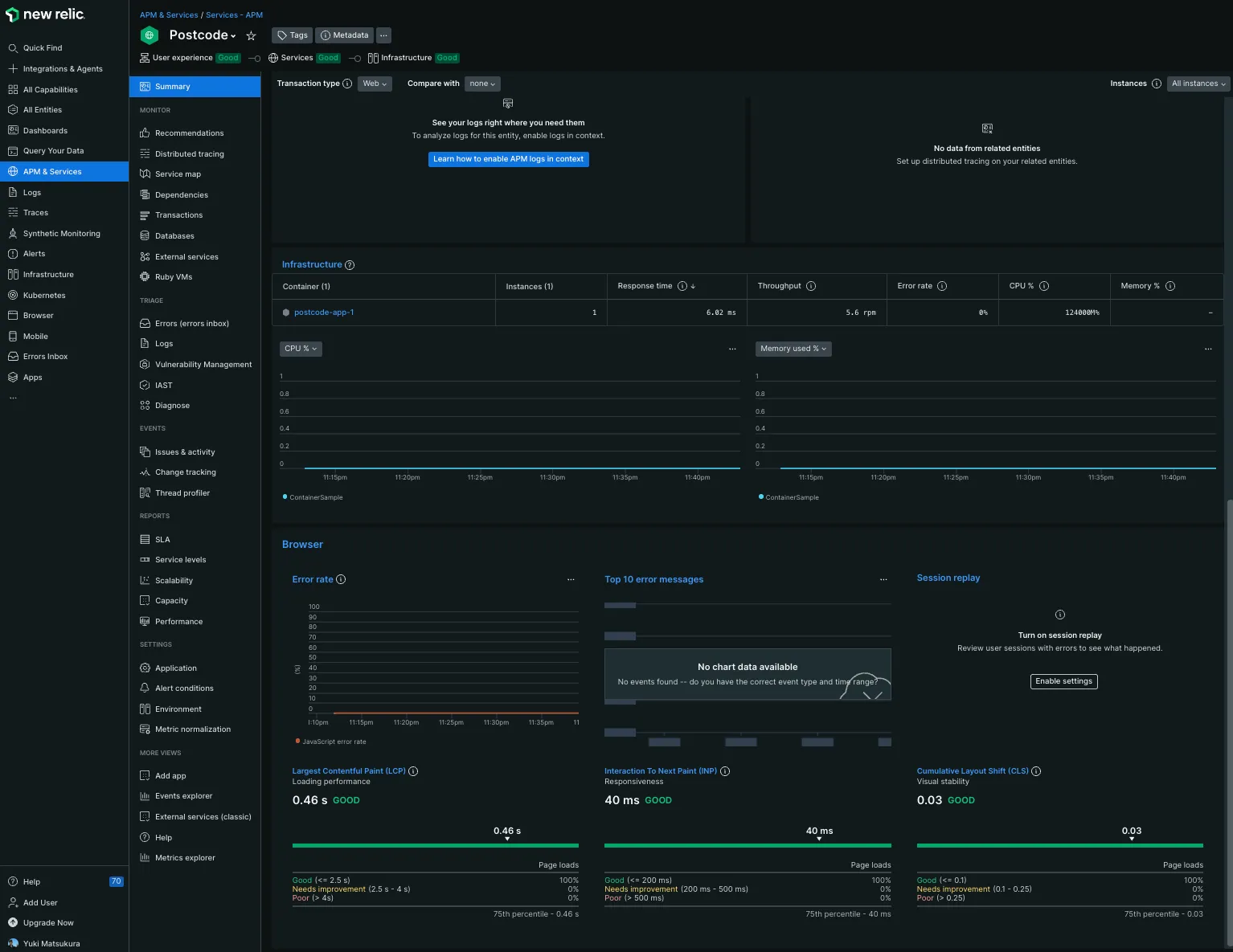
Webページの表示速度も自動的に計測してくます。LCP,INP,CLSのスコアを自動的に集計して表示してくれます。これは便利です。
使うべきではない言葉なので修正してください間にビーコンを埋め込まれていたので、要注意ではありますね。
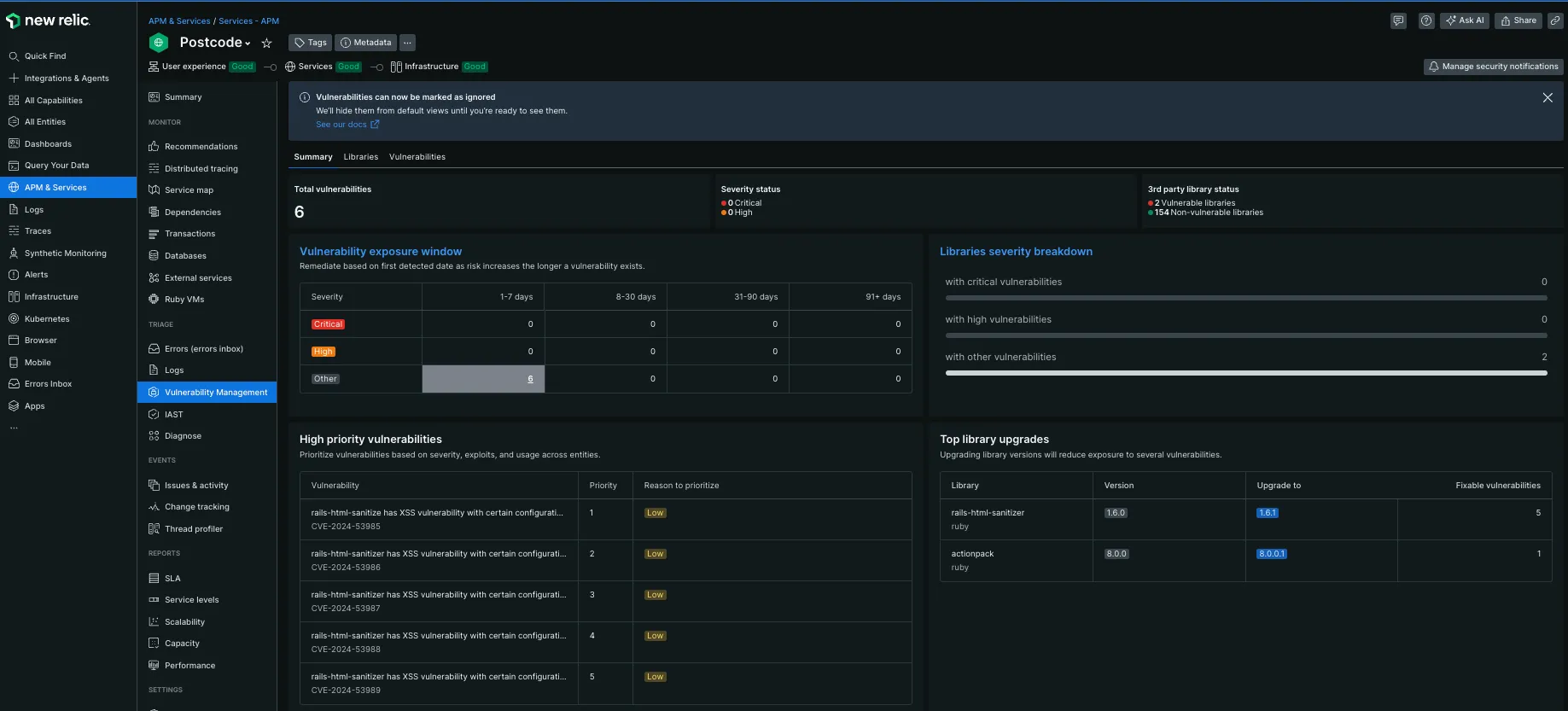
脆弱性のあるパッケージのチェックをしてくれるようです。
APM Forwardingというパッケージを入れるとアプリケーションのログを転送してくれるようです。
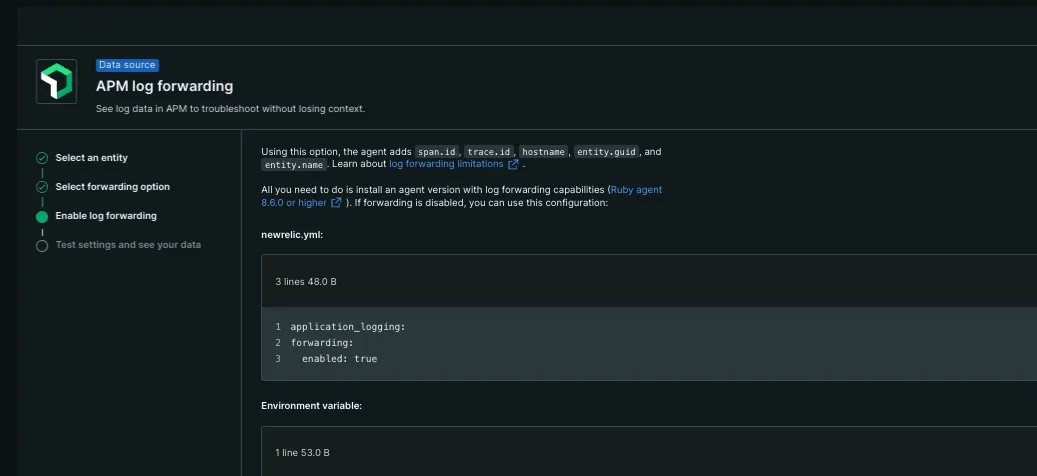
E2E監視
無料版だとリクエスト数に制限がありますが、E2E監視も試せます。 無料だと6時間に1回ぐらいしか行えませんが設定を軽く試してみます。
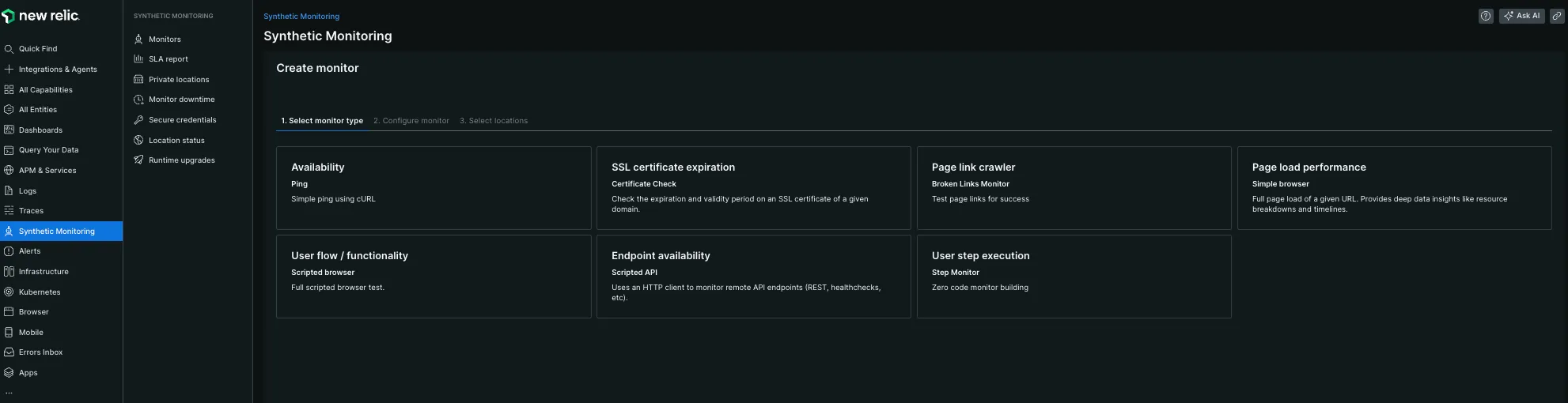
自分でスクリプトを書いて監視内容をカスタマイズできます。 今回は以下のようなスクリプトを書いてエンドポイントのヘルスチェックを行いました。
var assert = require('assert');$http.get('https://postcode.teraren.com/healthcheck.json',  function (err, response, body) {    // エラーチェック    assert.equal(response.statusCode, 200, 'Expected a 200 OK response');
  });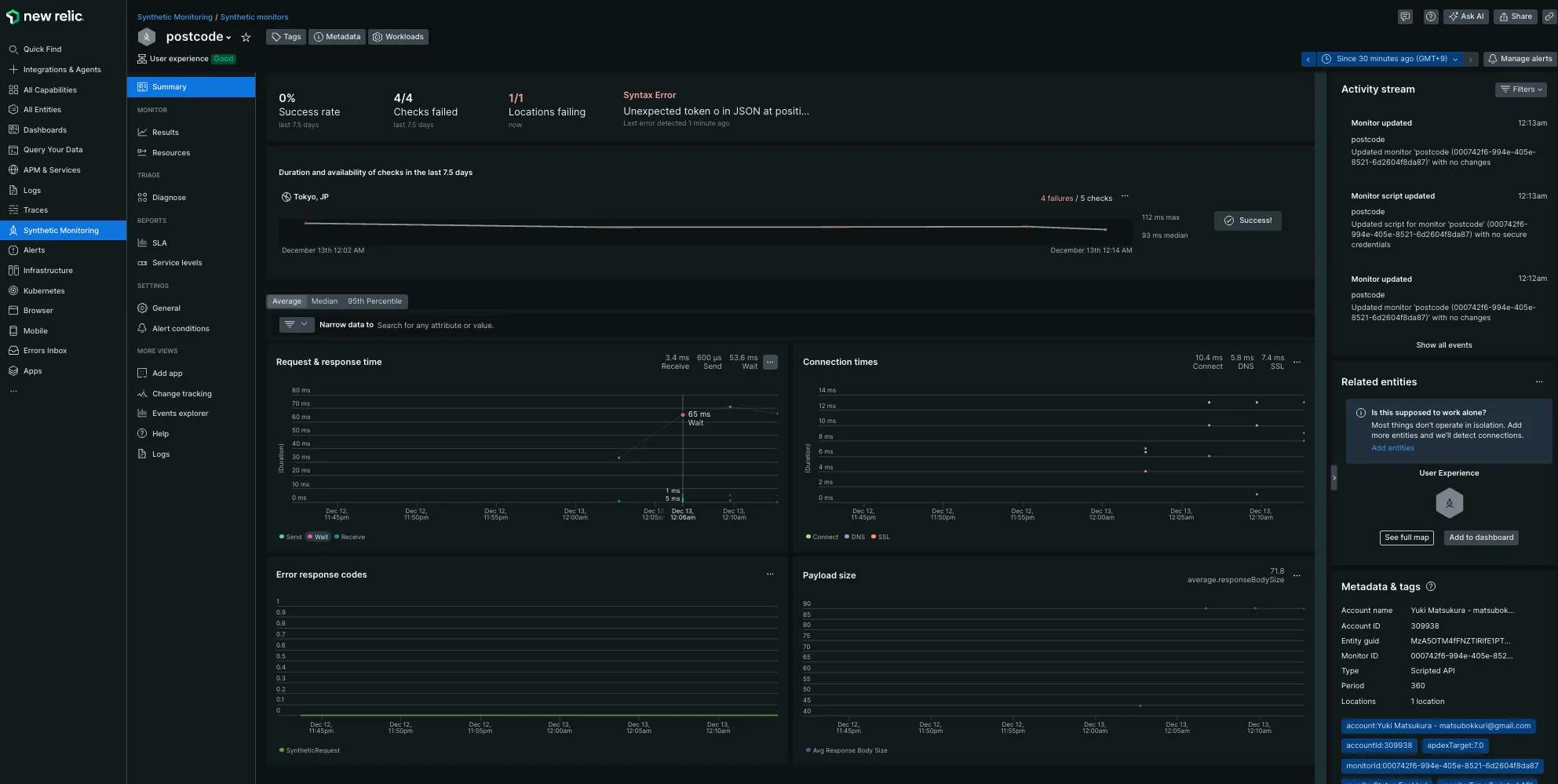
レスポンスタイムや connection time などの指標も出してくれます。
まとめ
9年前と比較すると格段に使いやすくなっています。 しかも無料で開始できるので監視サービスの導入のハードルが低いです。
また、豊富なテンプレがあるので監視エージェントを入れるだけでほとんど知りたいメトリックをきれいに表示してくれます。
少し前まで datadog を利用していましたが設定が複雑でセットアップやカスタムメトリックを使ってダッシュボードを構築するのに自由度が高い反面、いろいろな監視項目を自分で設定する必要があってかなり大変でした。 Mackerel はグラフがきれいでシンプルなのは良いですが、アプリケーションの監視や OS の主要なメトリックを監視するためにもプラグインを入れていかないといけないので面倒な印象です。NewRelic のほうがちょっと触った感じでは datadog 良さそうな感じがします。
個人サービスをやっていると、実運用しているサービスを使って導入検証のスクショをモザイク無しで掲載できるので皆様のお役に立てるような情報を提供できるかと思います。
今後
今後は、NewRelic のさらなる機能を試してみたいと考えています。具体的には以下の点を検討しています。
カスタムダッシュボードの作成: デフォルトのダッシュボードも非常に便利ですが、特定のニーズに合わせたカスタムダッシュボードを作成し、より詳細に監視したいと考えています。
アラート設定の最適化: 現在のアラート設定を見直し、より効果的なアラートを設定することで、問題の早期発見と対応を目指します。
他のサービスとの連携: NewRelic を他の監視ツールやサービスと連携させることで、より包括的な監視環境を構築したいと考えています。例えば、Slack や PagerDuty と連携させて、アラート通知を効率化することを検討しています。
パフォーマンスの最適化: 収集したデータを基に、サーバーやアプリケーションのパフォーマンスを最適化し、より効率的な運用を目指します。
これらの取り組みを通じて、NewRelic を活用した監視環境をさらに強化し、安定したサービス運用を実現していきたいと考えています。
会社での導入を検討
では法人でちゃんとしたサービスの監視に使えるかを少し考えてみます。 気になるお値段はこちら
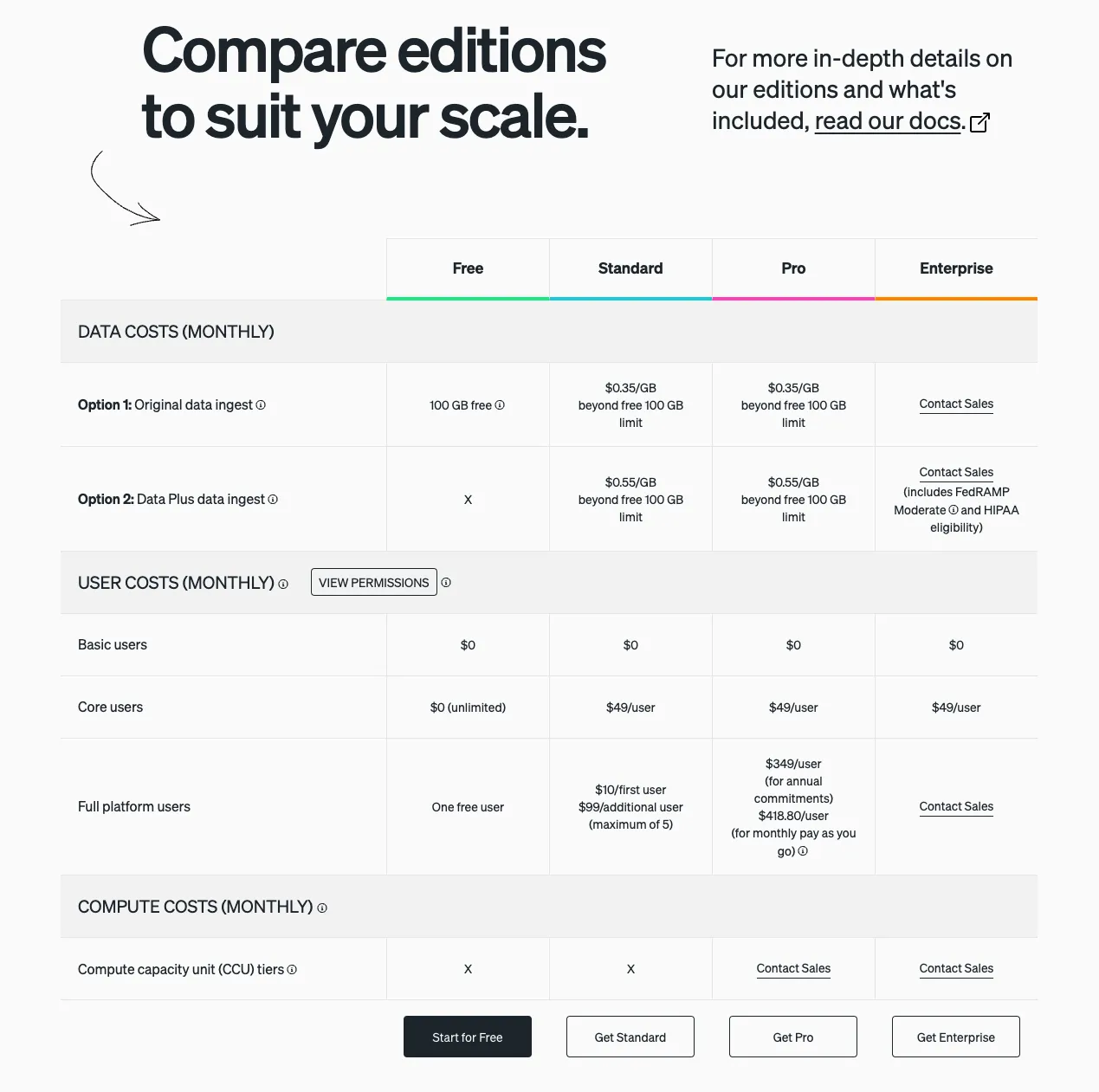
Free でも 1 ユーザだけなら機能は無制限に使えるようです。 普通は、Standard 以上になるのかなと思います。実際のサービスごとによって転送するログの量は異なるのでなんとも言えませんがかなり絞れば課金されないくらいなのかなと思います。
session replay機能はすごい魅力的。トラブルシュートに時間を使うことが多いので。
余談
懐かしのスクリーンショット
9 年前である、2015 年に撮影した New Relic の管理画面がありました。
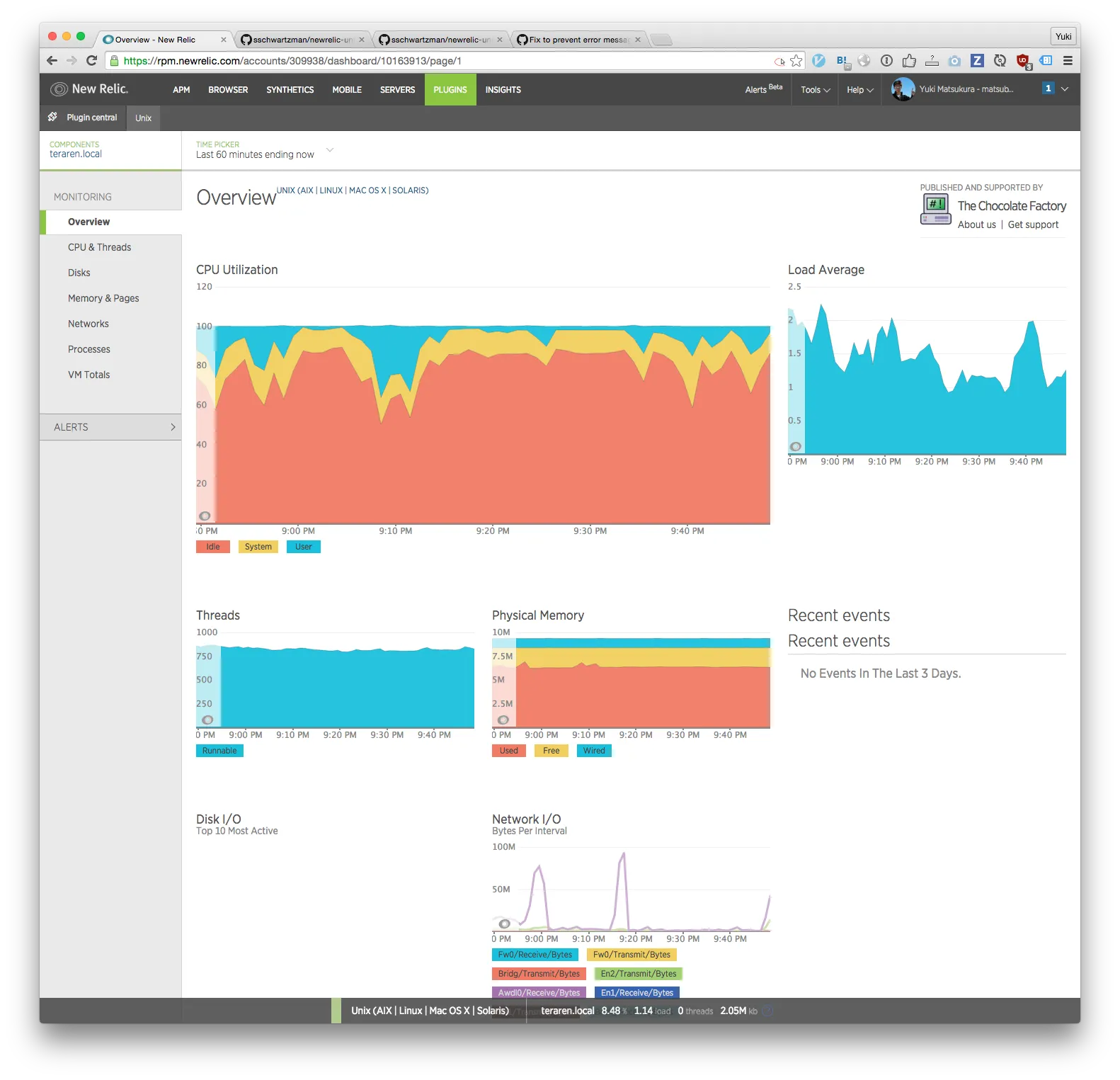
現在は別物ってくらいに UI がきれいになってますね。
New Relicの正式表記がわからない
オフィシャルサイトでも表記ゆれしていそう。どれが正しいのだろう。この記事では「New Relic」にしましたが。
- new relic
- NewRelic
- New Relic
- newrelic

