 Matsubo Tech Blog
Amazon Linux 2にfishを入れる方法
まとめ
- Amazon Linux 2 の yum 経由でインストールされる fish がのバージョンが
2.3と 7 年前にリリースされたバージョンなので新しいバージョンを利用しようとしました。 - 簡単にはインストールできなかったので、試行錯誤した結果を掲載しておきます。
- 結果としては、Cent OS 7 用の rpm パッケージを直接入れるのが一番楽です。
Amazon Linux 2023へのインストール記事は こちらです。
問題
現在の fish の 最新バージョンは 3.6.1 になっています。
それに対して、Amazon Linux 2 で利用している RHEL からインストールされる fish のバージョンは、2.3.1 となっています。 これは 2016 年 11 月 8 日にリリースされたバージョンなのでかなり古いです。
(そもそも、Amazon Linux 2 は 2023 年 6 月 30 日までのサポートされないので注意です。)
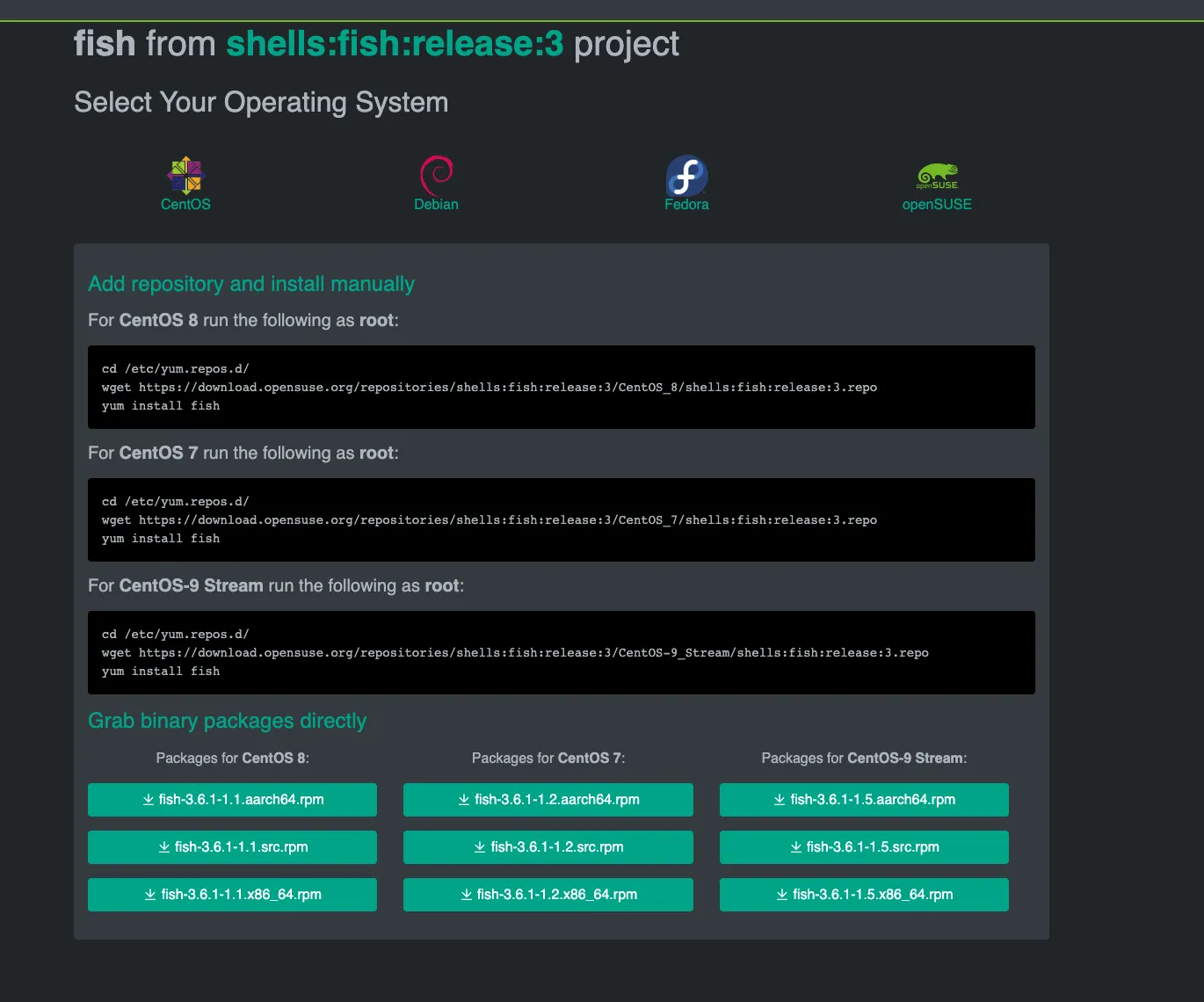
そこで、tmux のオフィシャルサイトにある rpm パッケージ経由のインストール方法を試してみました。
Amazon Linux 2 の RHEL のバージョンは 7 なので、
[ec2-user@ip-172-26-15-209 ~]$ rpm -E %{rhel}7Cent OSの7のrpm repositoryを使ってインストールを試みましたが、glibcの依存関係を満たせないので解決が困難そうです。
yum repositoryを追加してインストールしようとした際のエラーの内容を以下に記載しておきます。
[root@ip-172-26-15-209 ec2-user]# cd /etc/yum.repos.d/[root@ip-172-26-15-209 yum.repos.d]# wget https://download.opensuse.org/repositories/shells:fish:release:3/CentOS_7/shells:fish:release:3.repo--2023-08-04 03:00:38--  https://download.opensuse.org/repositories/shells:fish:release:3/CentOS_7/shells:fish:release:3.repoResolving download.opensuse.org (download.opensuse.org)... 2001:67c:2178:8::13, 195.135.221.134Connecting to download.opensuse.org (download.opensuse.org)|2001:67c:2178:8::13|:443...connected.HTTP request sent, awaiting response... 301 Moved PermanentlyLocation: https://download.opensuse.org/repositories/shells:fish:release:/3/CentOS_7/shells:fish:release:3.repo [following]--2023-08-04 03:00:39--  https://download.opensuse.org/repositories/shells:fish:release:/3/CentOS_7/shells:fish:release:3.repoReusing existing connection to [download.opensuse.org]:443.HTTP request sent, awaiting response... 301 Moved PermanentlyLocation: https://download.opensuse.org/repositories/shells:fish:/release:/3/CentOS_7/shells:fish:release:3.repo [following]--2023-08-04 03:00:40--  https://download.opensuse.org/repositories/shells:fish:/release:/3/CentOS_7/shells:fish:release:3.repoReusing existing connection to [download.opensuse.org]:443.HTTP request sent, awaiting response... 301 Moved PermanentlyLocation: https://download.opensuse.org/repositories/shells:/fish:/release:/3/CentOS_7/shells:fish:release:3.repo [following]--2023-08-04 03:00:40--  https://download.opensuse.org/repositories/shells:/fish:/release:/3/CentOS_7/shells:fish:release:3.repoReusing existing connection to [download.opensuse.org]:443.HTTP request sent, awaiting response... 200 OKLength: 299 [application/x-download]Saving to: 'shells:fish:release:3.repo'
100%[=====================================================================================================================================================================================================>] 299         --.-K/s   in 0s
2023-08-04 03:00:40 (46.6 MB/s) - 'shells:fish:release:3.repo' saved [299/299]
[root@ip-172-26-15-209 yum.repos.d]# yum install fishFailed to set locale, defaulting to CLoaded plugins: etckeeper, extras_suggestions, langpacks, priorities, update-motdamzn2-core | 3.7 kB 00:00:00shells_fish_release_3 | 1.7 kB 00:00:00Not using downloaded shells_fish_release_3/repomd.xml because it is older than what we have: Current : Sat Jul 29 04:23:36 2023 Downloaded: Fri Apr 14 08:56:31 2023290 packages excluded due to repository priority protectionsResolving Dependencies--> Running transaction check---> Package fish.x86_64 0:3.6.1-1.2 will be updated---> Package fish.x86_64 0:3.6.1-1.5 will be an update--> Processing Dependency: libc.so.6(GLIBC_2.34)(64bit) for package: fish-3.6.1-1.5.x86_64--> Processing Dependency: libstdc++.so.6(GLIBCXX_3.4.29)(64bit) for package: fish-3.6.1-1.5.x86_64--> Processing Dependency: libstdc++.so.6(CXXABI_1.3.13)(64bit) for package: fish-3.6.1-1.5.x86_64--> Processing Dependency: libm.so.6(GLIBC_2.29)(64bit) for package: fish-3.6.1-1.5.x86_64--> Finished Dependency ResolutionError: Package: fish-3.6.1-1.5.x86_64 (shells_fish_release_3) Requires: libstdc++.so.6(GLIBCXX_3.4.29)(64bit)Error: Package: fish-3.6.1-1.5.x86_64 (shells_fish_release_3) Requires: libc.so.6(GLIBC_2.34)(64bit)Error: Package: fish-3.6.1-1.5.x86_64 (shells_fish_release_3) Requires: libm.so.6(GLIBC_2.29)(64bit)Error: Package: fish-3.6.1-1.5.x86_64 (shells_fish_release_3) Requires: libstdc++.so.6(CXXABI_1.3.13)(64bit) You could try using --skip-broken to work around the problem You could try running: rpm -Va --nofiles --nodigestまた、こちらの記事を見る感じではLinuxにhomebrewを入れてhomebrew経由でfishをインストールすることによって最新のfishがインストールできそうです。しかしながら、fishのためだけにhomebrewをインストールしたくはありません。
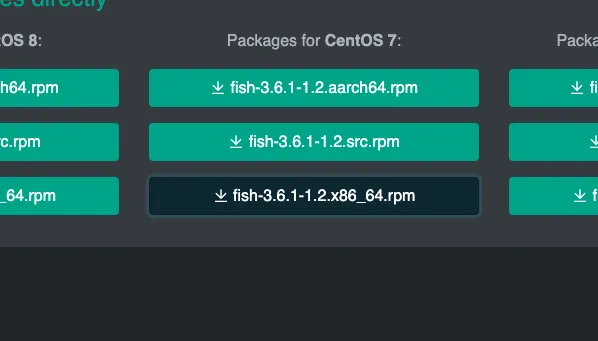
色々試行錯誤した結果、fishのオフィシャルサイトが直接提供しているCent OS 7向けのrpmパッケージをインストールしたら比較的すんなりインストールできたので紹介します。
インストール
[ec2-user@ip-172-26-15-209 ~]$ sudo yum install pcre2-develFailed to set locale, defaulting to CLoaded plugins: etckeeper, extras_suggestions, langpacks, priorities, update-motdamzn2-core | 3.7 kB 00:00:00290 packages excluded due to repository priority protectionsResolving Dependencies--> Running transaction check---> Package pcre2-devel.x86_64 0:10.23-11.amzn2.0.1 will be installed--> Processing Dependency: pcre2-utf32(x86-64) = 10.23-11.amzn2.0.1 for package: pcre2-devel-10.23-11.amzn2.0.1.x86_64--> Processing Dependency: pcre2-utf16(x86-64) = 10.23-11.amzn2.0.1 for package: pcre2-devel-10.23-11.amzn2.0.1.x86_64--> Processing Dependency: libpcre2-32.so.0()(64bit) for package: pcre2-devel-10.23-11.amzn2.0.1.x86_64--> Processing Dependency: libpcre2-16.so.0()(64bit) for package: pcre2-devel-10.23-11.amzn2.0.1.x86_64--> Running transaction check---> Package pcre2-utf16.x86_64 0:10.23-11.amzn2.0.1 will be installed---> Package pcre2-utf32.x86_64 0:10.23-11.amzn2.0.1 will be installed--> Finished Dependency Resolution
Dependencies Resolved
=============================================================================================================================================================================================================================================================================================================================================================================================================================================================================================== Package Arch Version Repository Size===============================================================================================================================================================================================================================================================================================================================================================================================================================================================================================Installing: pcre2-devel x86_64 10.23-11.amzn2.0.1 amzn2-core 547 kInstalling for dependencies: pcre2-utf16 x86_64 10.23-11.amzn2.0.1 amzn2-core 192 k pcre2-utf32 x86_64 10.23-11.amzn2.0.1 amzn2-core 183 k
Transaction Summary===============================================================================================================================================================================================================================================================================================================================================================================================================================================================================================Install 1 Package (+2 Dependent packages)
Total download size: 923 kInstalled size: 2.6 MIs this ok [y/d/N]: ^YIs this ok [y/d/N]: yDownloading packages:(1/3): pcre2-devel-10.23-11.amzn2.0.1.x86_64.rpm | 547 kB 00:00:00(2/3): pcre2-utf16-10.23-11.amzn2.0.1.x86_64.rpm | 192 kB 00:00:00(3/3): pcre2-utf32-10.23-11.amzn2.0.1.x86_64.rpm | 183 kB 00:00:00-----------------------------------------------------------------------------------------------------------------------------------------------------------------------------------------------------------------------------------------------------------------------------------------------------------------------------------------------------------------------------------------------------------------------------------------------------------------------------------------------Total 3.1 MB/s | 923 kB 00:00:00Running transaction checkRunning transaction testTransaction test succeededRunning transactionetckeeper: pre transaction commit Installing : pcre2-utf16-10.23-11.amzn2.0.1.x86_64 1/3 Installing : pcre2-utf32-10.23-11.amzn2.0.1.x86_64 2/3 Installing : pcre2-devel-10.23-11.amzn2.0.1.x86_64 3/3etckeeper: post transaction commit Verifying : pcre2-utf32-10.23-11.amzn2.0.1.x86_64 1/3 Verifying : pcre2-utf16-10.23-11.amzn2.0.1.x86_64 2/3 Verifying : pcre2-devel-10.23-11.amzn2.0.1.x86_64 3/3
Installed: pcre2-devel.x86_64 0:10.23-11.amzn2.0.1
Dependency Installed: pcre2-utf16.x86_64 0:10.23-11.amzn2.0.1 pcre2-utf32.x86_64 0:10.23-11.amzn2.0.1
Complete![ec2-user@ip-172-26-15-209 ~]$ sudo rpm -Uvh https://download.opensuse.org/repositories/shells:/fish:/release:/3/CentOS_7/x86_64/fish-3.6.1-1.2.x86_64.rpmRetrieving https://download.opensuse.org/repositories/shells:/fish:/release:/3/CentOS_7/x86_64/fish-3.6.1-1.2.x86_64.rpmwarning: /var/tmp/rpm-tmp.WSduVM: Header V3 RSA/SHA256 Signature, key ID d880c8e4: NOKEYPreparing... ################################# [100%]Updating / installing... 1:fish-3.6.1-1.2 ################################# [100%][ec2-user@ip-172-26-15-209 ~]$ which fish/usr/bin/fish確認
無事入りました。
[ec2-user@ip-172-26-15-209 ~]$ /usr/bin/fish --versionfish, version 3.6.1しかしながら、rpm のリポジトリを設定したわけではないので自動更新は行われません。
余談
tmux も最新をインストールしてターミナル関連のバージョンを一新しました。
ついでに、tmux と fish で powerline テーマを使って統一感を出しました。
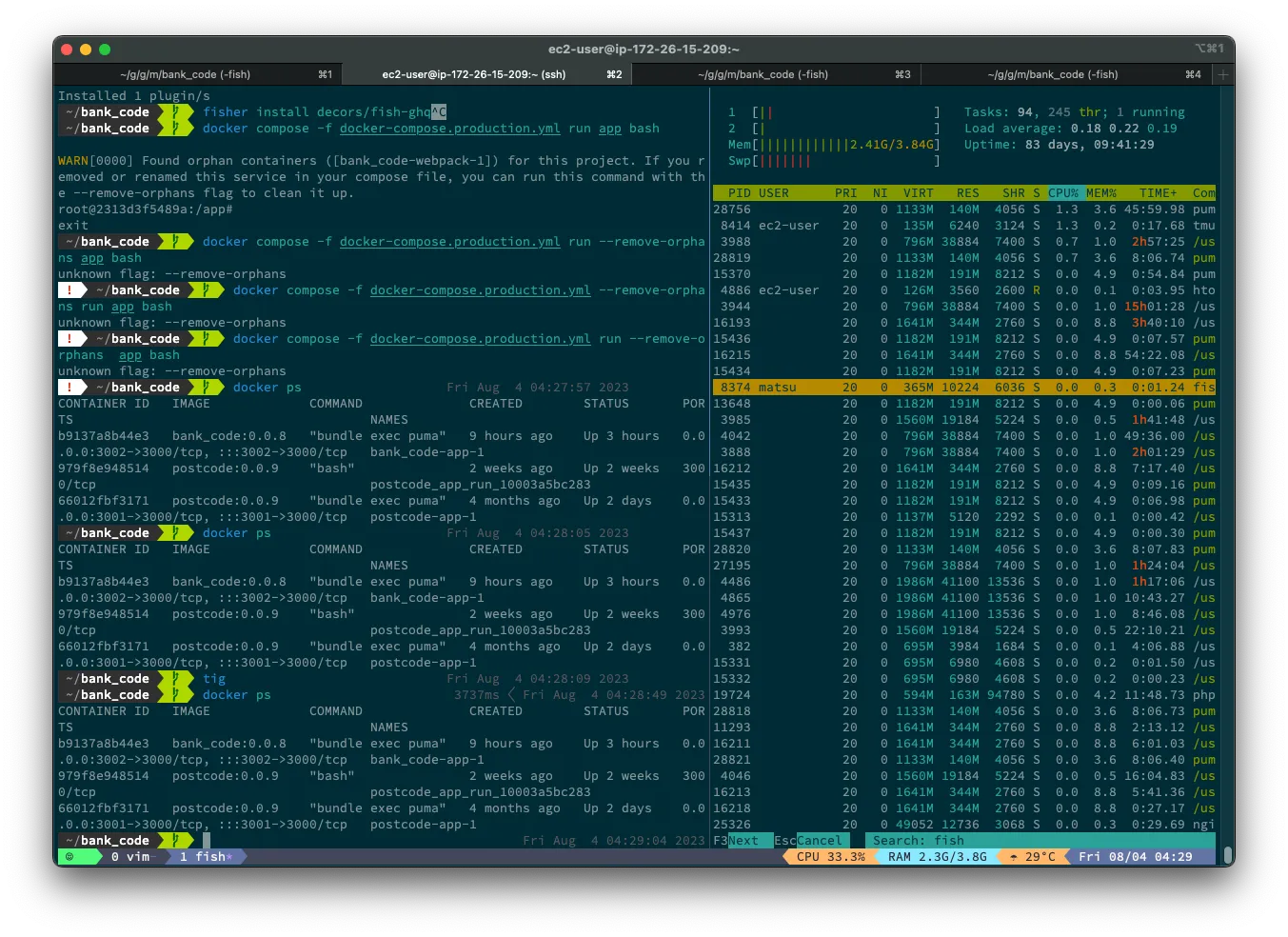
最新の設定ファイルは以下においてあります。 https://github.com/matsubo/matsu-shell-setting

